

Key Takeaway:
10 Skills to Get a Draftsman Job
If you want to become a CAD Draftsman, focus on these 10 skills:
- AutoCAD – 2D drafting, layers, blocks, dimensions, layouts, and plotting.
- Technical Drawing – Understand orthographic, sectional, auxiliary, and isometric views.
- Geometric Dimensioning & Tolerancing (GD&T) – Apply dimensions, tolerances, and manufacturing symbols correctly.
- Reading Engineering Drawings – Interpret dimensions, symbols, notes, scales, and drawing standards.
- 3D CAD Modeling – Learn software such as SOLIDWORKS, Inventor, CATIA, or Fusion 360.
- Mechanical Design Basics – Understand components, materials, fits, fasteners, and manufacturing processes.
- Engineering Standards – Learn relevant ISO, ASME, ANSI, and BIS drawing standards.
- Sheet Metal & Fabrication – Understand bends, bend allowances, flat patterns, cutting, and welding details.
- Revision & Documentation – Manage drawing revisions, title blocks, BOMs, file naming, and document control.
- Attention to Detail – Check dimensions, tolerances, scale, layers, and drawing accuracy before release.
Best Skill Combination
AutoCAD → Technical Drawing → GD&T → 3D CAD → Manufacturing → Drawing Standards → Portfolio
For Better Job Opportunities
Add a specialization:
- Mechanical Draftsman: AutoCAD + SOLIDWORKS + GD&T
- Civil Draftsman: AutoCAD + Civil 3D
- Architectural Draftsman: AutoCAD + Revit
- Electrical Draftsman: AutoCAD Electrical
- Manufacturing Draftsman: AutoCAD + SOLIDWORKS/Inventor + CNC/CAM
Conclusion: Don’t rely on software skills alone. A draftsman who can read drawings, apply GD&T, understand manufacturing, and produce accurate CAD drawings is much more employable.
In this article:
10 Skills to Get a Draftsman Job
A successful draftsman needs more than just knowledge of AutoCAD. Modern employers often look for professionals who can create accurate drawings, understand engineering requirements, work with 2D and 3D CAD software, and prepare documentation according to industry standards.
The exact skills vary between mechanical, civil, architectural, electrical, structural, piping, HVAC, and electronics drafting, but the following 10 skills are valuable across most drafting careers.
1. AutoCAD
AutoCAD is one of the most important skills for a draftsman.
You should be comfortable creating and editing:
- 2D drawings
- Layouts
- Dimensions
- Blocks
- Layers
- Hatching
- Annotations
- Title blocks
- Templates
- Printing and plotting
Department-Specific CAD Skills
- Mechanical: AutoCAD + SOLIDWORKS/Creo/CATIA
- Civil: AutoCAD + Civil 3D
- Architectural: AutoCAD + Revit
- Electrical: AutoCAD Electrical/EPLAN
- Structural: AutoCAD + Revit/Tekla
- Piping: AutoCAD Plant 3D/AVEVA
- HVAC/Plumbing: AutoCAD MEP/Revit MEP
- Electronics: PCB/schematic CAD tools
2. Technical Drawing
A draftsman must understand the principles of technical drawing rather than simply knowing how to operate CAD software.
Important topics include:
- Orthographic projection
- Isometric drawing
- Section views
- Auxiliary views
- Detail views
- Line types
- Scales
- Dimensioning
- Symbols
- Drawing layouts
Good technical-drawing knowledge allows you to create drawings that other engineers and technicians can understand correctly.
3. Geometric Dimensioning & Tolerancing (GD&T)
GD&T is particularly important in mechanical and manufacturing drafting.
You should understand concepts such as:
- Form tolerances
- Orientation tolerances
- Location tolerances
- Runout
- Datums
- Feature control frames
- Position tolerance
- Flatness
- Perpendicularity
- Parallelism
GD&T helps communicate how accurately a manufactured component must be produced and inspected.
4. Reading Engineering Drawings
A draftsman should be able to read and interpret existing drawings, not just create new ones.
You should understand:
- Dimensions
- Tolerances
- Symbols
- Sections
- Notes
- Material specifications
- Revision information
- Drawing standards
- Assembly relationships
This skill is important because many drafting jobs involve modifying existing drawings and producing updated documentation.
5. 3D CAD Modeling
Modern drafting increasingly involves 3D CAD, especially in mechanical, structural, architectural, and manufacturing industries.
Useful software includes:
- SOLIDWORKS
- Creo
- CATIA
- Siemens NX
- Fusion
- Inventor
- Revit
- Tekla Structures
3D Skills to Learn
- Sketching
- Extrusion
- Revolve
- Sweep
- Loft
- Assembly modeling
- Parametric modeling
- Sheet-metal modeling
- 3D visualization
For mechanical drafting jobs, 2D AutoCAD + 3D CAD is a particularly valuable combination.
6. Mechanical Design Basics
For mechanical drafting positions, understanding basic engineering principles can significantly improve your job opportunities.
Important topics include:
- Basic mechanics
- Materials
- Manufacturing processes
- Fits and tolerances
- Fasteners
- Bearings
- Shafts
- Gears
- Welding
- Machining
- Sheet-metal fabrication
You don’t necessarily need to be a design engineer, but understanding why a component is designed a certain way helps you produce better drawings.
7. Engineering Standards
Professional drawings should follow appropriate engineering and drafting standards.
You should become familiar with standards such as:
- ISO
- ASME
- ANSI
- DIN
- BS
- JIS
Depending on your department, you may also encounter standards specific to:
- Welding
- Electrical systems
- Construction
- Structural design
- Piping
- Manufacturing
Understanding standards makes your drawings more consistent and easier for others to interpret.
8. Sheet Metal & Fabrication
Knowledge of manufacturing and fabrication is extremely useful for mechanical draftsmen.
You should understand:
- Sheet-metal thickness
- Bend allowance
- Bend deduction
- Bend radius
- Flat patterns
- Welding
- Cutting
- Drilling
- Milling
- Turning
- CNC manufacturing
CAD software can create technically correct geometry that may still be difficult or expensive to manufacture. Fabrication knowledge helps you create practical designs.
9. Revision & Documentation
Engineering drawings frequently change during a project’s lifecycle.
A draftsman should know how to manage:
- Drawing revisions
- Revision clouds
- Drawing numbers
- File naming
- Version control
- Title blocks
- BOMs
- Document status
- Change descriptions
In larger organizations, familiarity with PDM/PLM/document-management systems can be an additional advantage.
10. Attention to Detail
Attention to detail is one of the most important skills for any draftsman.
Small mistakes in a drawing can lead to:
- Manufacturing errors
- Construction problems
- Material waste
- Assembly problems
- Rework
- Increased project costs
Always check:
- Dimensions
- Units
- Tolerances
- Views
- Notes
- Material
- Drawing scale
- Revision number
- Missing details
A good draftsman develops the habit of checking drawings before release.
Skills for Different Drafting Departments
The basic skills above apply across drafting careers, but each department has additional requirements.
| Department | Important Skills |
|---|---|
| Mechanical | AutoCAD, SOLIDWORKS, GD&T, manufacturing, sheet metal |
| Architectural | AutoCAD, Revit, floor plans, elevations, BIM |
| Civil | AutoCAD, Civil 3D, surveying, grading, site plans |
| Electrical | AutoCAD Electrical, schematics, wiring, control systems |
| Structural | AutoCAD, Revit, Tekla, steel/reinforcement detailing |
| Piping/P&ID | Plant 3D, P&IDs, piping layouts, valves, fittings |
| HVAC/Plumbing | AutoCAD MEP, Revit MEP, ductwork, piping |
| Electronics | Schematics, PCB layout, electronic components, ECAD |
Recommended Skill Path by Department
Mechanical Draftsman
AutoCAD → SOLIDWORKS/Creo → GD&T → Manufacturing → Sheet Metal → CNC → Drawing Standards
Civil Draftsman
AutoCAD → Civil 3D → Surveying Basics → Site Plans → Grading → Road/Drainage Drawings
Architectural Draftsman
AutoCAD → Revit → Architectural Standards → BIM → Construction Documentation
Electrical Draftsman
AutoCAD → AutoCAD Electrical/EPLAN → Electrical Schematics → Wiring → Panels → Control Systems
Structural Draftsman
AutoCAD → Revit/Tekla → Structural Detailing → Steel/Concrete → Reinforcement Drawings
Piping Draftsman
AutoCAD → Plant 3D → P&ID → Piping Layouts → Isometrics → Valves & Fittings
HVAC/Plumbing Draftsman
AutoCAD → Revit MEP → HVAC → Ductwork → Plumbing → Building Services
Electronics Draftsman
Schematic CAD → PCB Design → Component Libraries → PCB Layout → Manufacturing Documentation
Conclusion
To get a draftsman job, AutoCAD alone is no longer enough for many positions. Employers increasingly value a combination of CAD software skills, technical drawing knowledge, engineering standards, 3D modeling, industry knowledge, and accurate documentation.
The best approach is to build a common drafting foundation and then specialize:
AutoCAD + Technical Drawing + Engineering Drawings + Standards + 3D CAD
and then add the software and technical knowledge specific to your chosen department.
For the widest mechanical drafting opportunities, a particularly strong combination is:
AutoCAD + SOLIDWORKS + GD&T + Manufacturing + Sheet Metal + Engineering Drawing + Technical Documentation.
Also Read : How To Become a Drafter (With FAQs)
Latest articles:

Best Budget Workstation Laptops for SolidWorks and Heavy 3D Assembly Modeling
Best Budget Workstation Laptops for SolidWorks and Heavy 3D Assembly Modeling Overview What Does SOLIDWORKS…
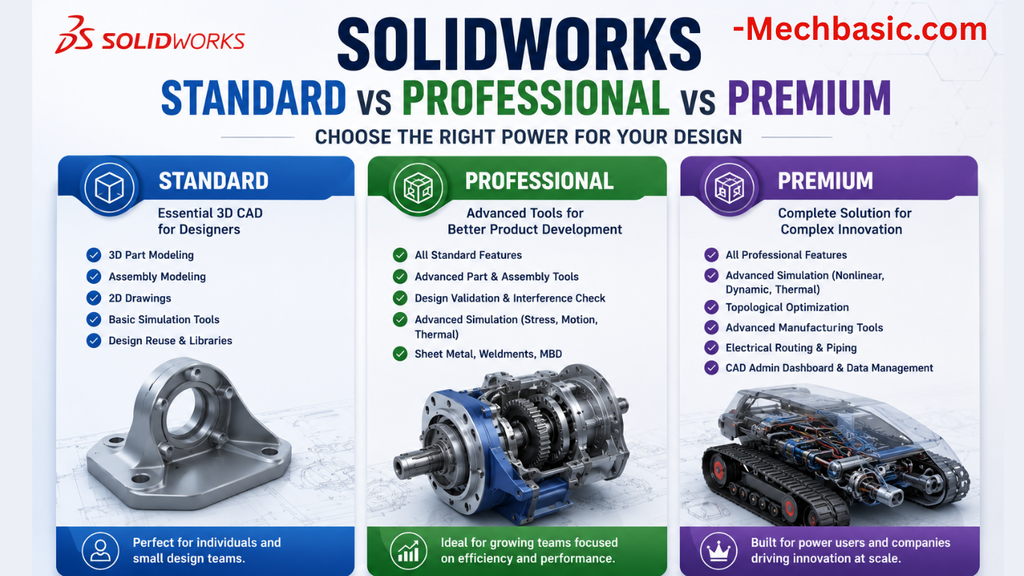
SolidWorks Standard vs Professional vs Premium: Full Feature Comparison
SolidWorks Standard vs Professional vs Premium: Full Feature Comparison Overview: SOLIDWORKS Package Overview SOLIDWORKS comes…
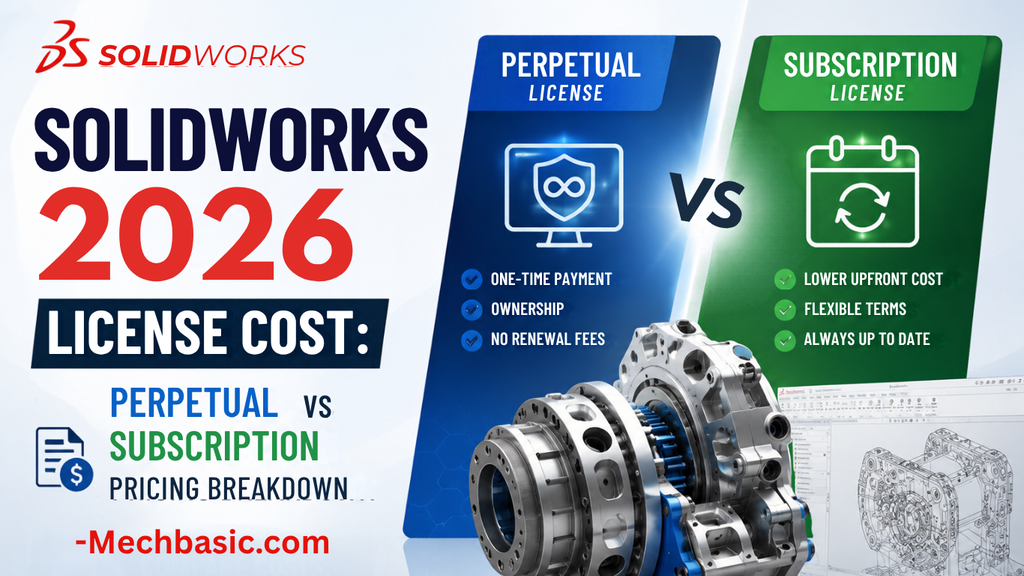
SolidWorks 2026 License Cost: Perpetual vs Subscription Pricing Breakdown
SolidWorks 2026 License Cost: Perpetual vs Subscription Pricing Breakdown Overview: SOLIDWORKS 2026 License Options SOLIDWORKS…

Flatness-GD&T | GD&T Tutorials

ANSI vs ISO Standards-Key Differences you need to know

Straightness-GD&T | GD&T Tutorials
Related Tags:
Categories:




















