

How to learn AutoCAD in 3 days?
You can learn the basics of AutoCAD in 3 days with focused practice.However, becoming proficient in 2D drafting and 3D […]
You can learn the basics of AutoCAD in 3 days with focused practice.However, becoming proficient in 2D drafting and 3D […]

A CAD job can be stressful when working with tight deadlines and detailed design requirements.The stress level depends on the

Yes, AutoCAD is a good career skill with demand in engineering, architecture, construction, and manufacturing.It can lead to roles such
Yes, you can learn the basic features and commands of AutoCAD in 1 week.You can start creating simple 2D drawings
AI is unlikely to completely replace CAD design, but it will automate many routine tasks.Engineers and designers will still be

AutoCAD is available through a monthly subscription.The cost varies by country and plan, but it is typically around US$250–300 per
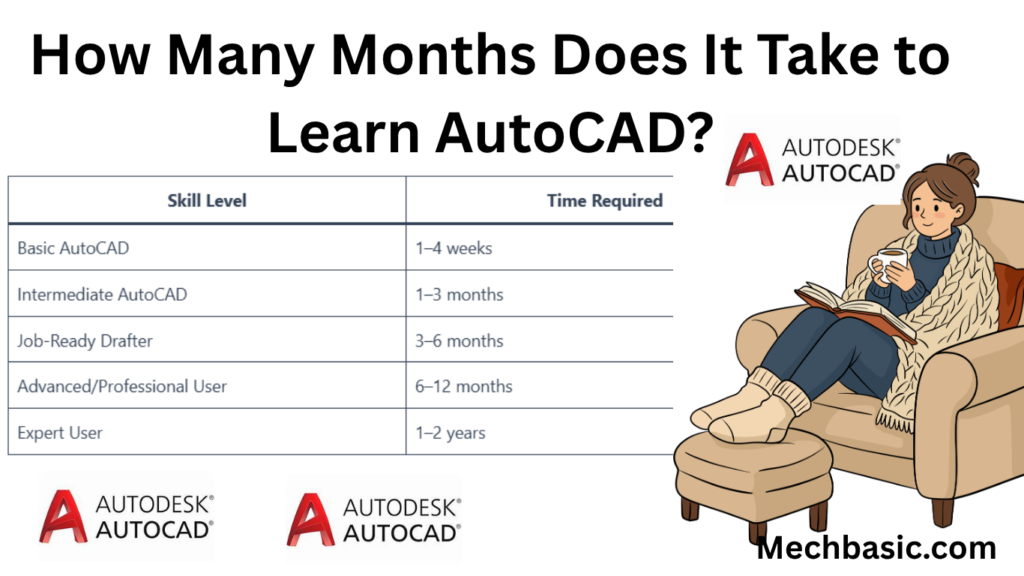
You can learn the basics of AutoCAD in 1–2 months with regular practice.Intermediate skills usually take 3–6 months to develop.Becoming
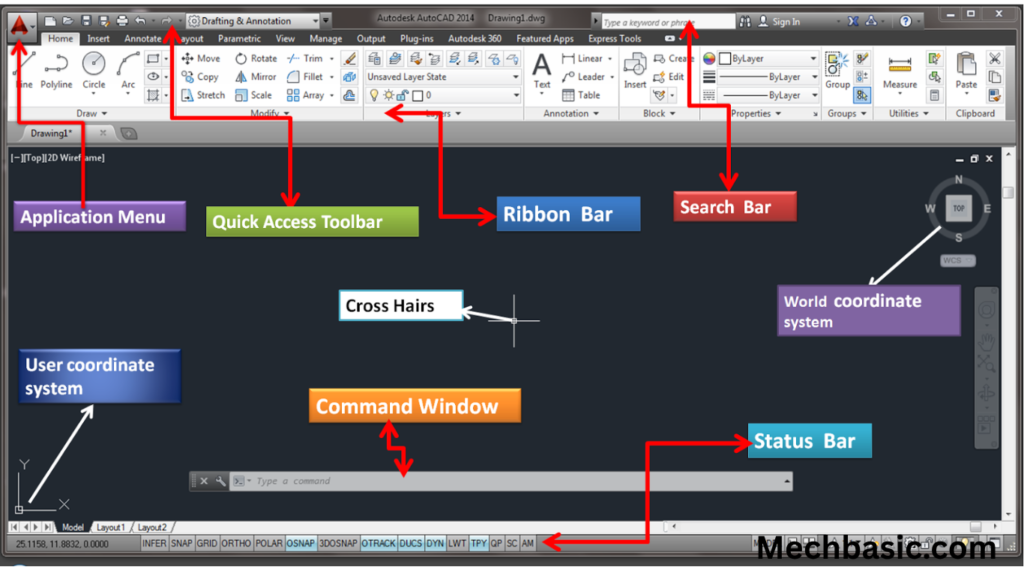
The AutoCAD user interface consists of the Ribbon, Drawing Area, Command Line, and Status Bar.These tools provide access to drawing,
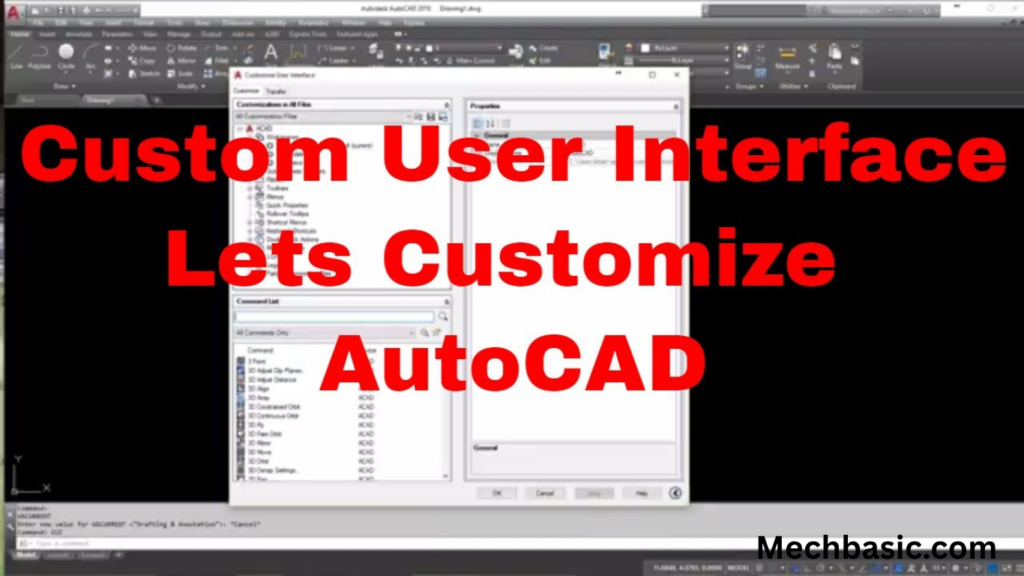
You can customize the AutoCAD user interface by modifying the Ribbon, toolbars, and Quick Access Toolbar.The CUI (Customize User Interface)
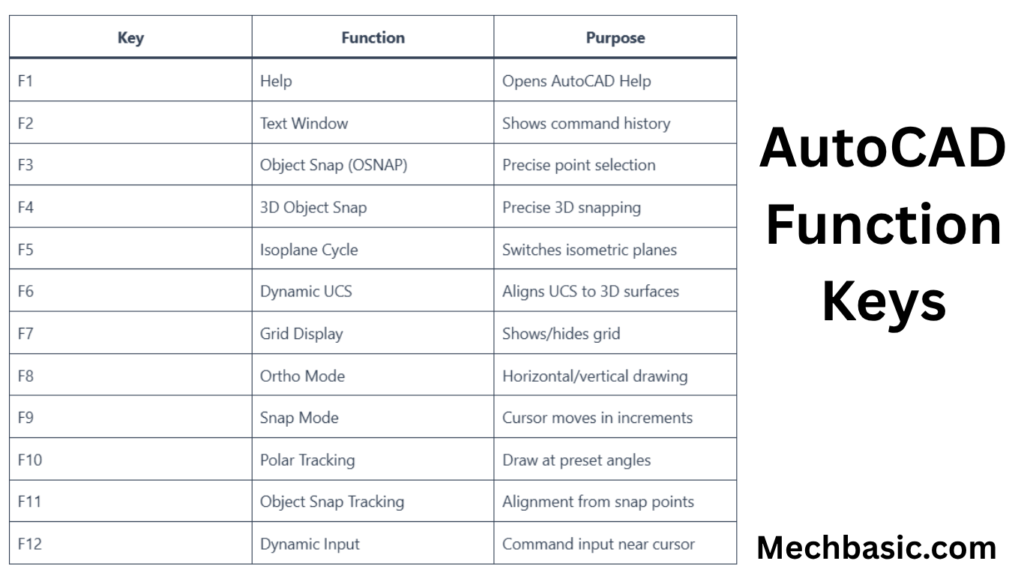
AutoCAD function keys provide quick access to commonly used features.Examples: F1–Help, F3–Object Snap, F7–Grid Display, F8–Ortho Mode, F12–Dynamic Input.These shortcuts




