
Key Takeaway:
What is Free CAD Software?
Free CAD software allows users to create, edit, and analyze 2D drawings and 3D models without purchasing a commercial license. These tools are ideal for students, hobbyists, educators, and beginners.
| Software | Platform | Best For |
|---|---|---|
| FreeCAD | Windows, macOS, Linux | Parametric 3D mechanical design |
| LibreCAD | Windows, macOS, Linux | 2D drafting and engineering drawings |
| Tinkercad | Web Browser | Beginners, students, and 3D printing |
| Onshape (Free Plan) | Web Browser | Cloud-based CAD and collaboration |
| SketchUp Free | Web Browser | Basic 3D modeling and architecture |
| SolveSpace | Windows, macOS, Linux | Parametric 2D/3D CAD |
| OpenSCAD | Windows, macOS, Linux | Script-based 3D modeling |
| nanoCAD Free | Windows | 2D drafting with DWG support |
| QCAD Community Edition | Windows, macOS, Linux | 2D technical drafting |
| BRL-CAD | Windows, macOS, Linux | Advanced solid modeling |
Features of Free CAD Software:
- 2D drafting and 3D modeling
- Parametric design (in selected software)
- Dimensioning and annotation
- Import and export of common file formats
- Visualization and rendering
- Basic collaboration and sharing tools
- Suitable for education, hobby projects, and prototyping
Advantages of Free CAD Software:
Free CAD software eliminates licensing costs, is easy to access, and provides essential design tools for learning and project development. Many programs are open-source and supported by active user communities.
Applications of Free CAD Software:
- Engineering education
- Product and machine design
- Architecture and interior design
- 3D printing
- DIY and hobby projects
- Technical drawing and documentation
Key Takeaways:
Free CAD software offers an excellent way to learn computer-aided design and develop professional drafting and modeling skills. It is well suited for students, educators, hobbyists, and startups with limited budgets.
In this article:
Free CAD Software
Free CAD software refers to Computer-Aided Design (CAD) programs that are available at no cost for creating, editing, and analyzing 2D drawings and 3D models. These software applications provide many of the essential tools found in commercial CAD programs, making them ideal for students, educators, hobbyists, startups, freelancers, and small businesses.
Free CAD software allows users to design mechanical components, architectural plans, engineering drawings, electrical layouts, and product prototypes without purchasing expensive licenses. Some free CAD programs are open-source, allowing users to modify the software and contribute to its development.
Although free CAD software may lack some advanced features found in premium applications, many provide powerful capabilities for professional-quality design and learning.
What is Free CAD Software?
Free CAD software is a CAD application that users can download and use without paying licensing fees. It enables the creation of accurate 2D technical drawings, 3D models, assemblies, and documentation for engineering, architecture, manufacturing, and product design.
Free CAD software typically includes tools for:
- 2D drafting
- 3D modeling
- Dimensioning
- Annotation
- Layer management
- File import and export
- Visualization
- Basic simulation (in some software)
Many free CAD programs support industry-standard file formats such as DWG, DXF, STEP, IGES, STL, and OBJ, making it easier to collaborate with users of commercial CAD software.
Popular Free CAD Software
1. FreeCAD
Developer: FreeCAD Community
Features
- Open-source and free
- Parametric 3D modeling
- Mechanical part design
- Assembly workbenches
- Technical drawing generation
- Python scripting support
Best For
- Mechanical engineering
- Product design
- Education
- Research
2. LibreCAD
Developer: LibreCAD Community
Features
- Open-source
- 2D drafting
- Lightweight and fast
- DXF file support
- Layer management
Best For
- Technical drawings
- Floor plans
- Mechanical drafting
3. Tinkercad
Developer: Autodesk
Features
- Browser-based
- Beginner-friendly interface
- Basic 3D modeling
- Electronics simulation
- Easy 3D printing export
Best For
- Students
- Beginners
- STEM education
- Hobby projects
4. SketchUp Free
Features
- Web-based modeling
- Easy-to-use interface
- Basic 3D design
- Online storage
Best For
- Architecture
- Interior design
- Furniture modeling
5. NanoCAD Free (Legacy Editions)
Features
- AutoCAD-like interface
- DWG compatibility
- 2D drafting
- Familiar commands
Best For
- AutoCAD learners
- Engineering drawings
6. SolveSpace
Features
- Parametric modeling
- Constraint-based sketches
- Lightweight software
- Mechanical design
Best For
- Mechanical engineering
- Educational projects
7. OpenSCAD
Features
- Script-based modeling
- Parametric design
- High precision
- Open-source
Best For
- Engineers
- Programmers
- 3D printable models
8. QCAD Community Edition
Features
- Open-source
- 2D drafting
- DXF support
- Simple interface
Best For
- Mechanical drawings
- Electrical diagrams
- Architectural drafting
Features of Free CAD Software
Most free CAD applications provide a wide range of useful features.
1. 2D Drafting
Users can create:
- Engineering drawings
- Floor plans
- Machine layouts
- Electrical schematics
2. 3D Modeling
Many free CAD programs support:
- Solid modeling
- Surface modeling
- Parametric modeling
- Mesh modeling
3. Parametric Design
Some software allows dimensions and constraints to control the model so that design changes update automatically.
4. Layer Management
Layers help organize:
- Geometry
- Dimensions
- Text
- Symbols
- Construction lines
5. Dimensioning and Annotation
Users can add:
- Dimensions
- Notes
- Leaders
- Labels
- Symbols
6. File Import and Export
Common supported formats include:
- DWG (limited in some software)
- DXF
- STEP
- IGES
- STL
- SVG
- OBJ
7. 3D Printing Support
Most free CAD software can export STL files for additive manufacturing.
8. Customization
Many applications support:
- Plugins
- Macros
- Scripts
- User preferences
9. Cross-Platform Availability
Several free CAD programs work on:
- Windows
- Linux
- macOS
10. Open-Source Development
Open-source CAD software benefits from community contributions, regular updates, and transparency.
Advantages of Free CAD Software
Using free CAD software offers many benefits.
1. No Licensing Cost
The software can be used without purchasing expensive subscriptions or licenses.
2. Ideal for Learning
Students and beginners can practice CAD skills without financial barriers.
3. Open-Source Flexibility
Many free CAD programs allow users to inspect, modify, and improve the source code.
4. Professional Design Capability
Many free tools provide advanced features suitable for professional engineering and design tasks.
5. Supports Multiple File Formats
Importing and exporting common CAD formats improves compatibility with other software.
6. Lightweight Performance
Some free CAD applications run efficiently on computers with modest hardware.
7. Community Support
Large user communities provide tutorials, documentation, plugins, and troubleshooting assistance.
8. Regular Updates
Popular free CAD projects receive continuous improvements and bug fixes from developers and contributors.
9. Excellent for Prototyping
Designs can be quickly created, modified, and exported for 3D printing or manufacturing.
10. Accessible Anywhere
Cloud-based free CAD tools can be accessed through a web browser without installing software.
Applications of Free CAD Software
Free CAD software is used in a variety of fields.
1. Mechanical Engineering
- Machine components
- Assembly models
- Manufacturing drawings
2. Architecture
- Building plans
- Floor layouts
- Interior design
- Landscape planning
3. Civil Engineering
- Site layouts
- Road designs
- Utility plans
4. Electrical Engineering
- Circuit diagrams
- Wiring layouts
- Panel designs
5. Product Design
- Consumer products
- Industrial equipment
- Packaging concepts
6. 3D Printing
- Prototype development
- Custom parts
- Educational models
7. Education
- Classroom demonstrations
- Engineering assignments
- CAD training
- STEM learning
8. Hobby and DIY Projects
- Robotics
- Furniture design
- Home improvement
- Maker projects
9. Research and Development
- Concept models
- Experimental designs
- Academic research
10. Small Businesses and Startups
- Product prototyping
- Technical documentation
- Initial design development
Comparison of Popular Free CAD Software
| Software | Type | Best For | Platform |
|---|---|---|---|
| FreeCAD | Open-source | Mechanical engineering, 3D modeling | Windows, Linux, macOS |
| LibreCAD | Open-source | 2D drafting | Windows, Linux, macOS |
| Tinkercad | Web-based | Beginners, education, 3D printing | Web browser |
| SketchUp Free | Web-based | Architecture, interior design | Web browser |
| NanoCAD Free (Legacy) | Freeware | 2D drafting, DWG files | Windows |
| SolveSpace | Open-source | Parametric mechanical design | Windows, Linux, macOS |
| OpenSCAD | Open-source | Script-based parametric modeling | Windows, Linux, macOS |
| QCAD Community Edition | Open-source | 2D drafting | Windows, Linux, macOS |
Limitations of Free CAD Software
- Some advanced simulation and rendering tools may be unavailable.
- Certain free versions restrict commercial use.
- Cloud-based software requires a stable internet connection.
- Limited customer support compared to commercial software.
- Advanced collaboration and product lifecycle management (PLM) features are often absent.
Summary Table
| Aspect | Description |
|---|---|
| Purpose | Create and edit 2D drawings and 3D models without licensing costs |
| Main Users | Students, educators, hobbyists, startups, freelancers |
| Common Outputs | Engineering drawings, 3D models, prototypes |
| Supported Formats | DXF, STEP, IGES, STL, OBJ, PDF (DWG support varies) |
| Major Benefits | Cost-effective, accessible, educational, customizable |
Frequently Asked Questions (FAQs)
1. What is free CAD software?
Free CAD software is a computer program that allows users to create and edit engineering drawings and 3D models without paying licensing fees.
2. Is free CAD software suitable for professional work?
Yes. Some free CAD programs, such as FreeCAD and LibreCAD, offer professional-level features for many engineering and design tasks, although advanced commercial workflows may require paid software.
3. Which free CAD software is best for beginners?
Tinkercad is excellent for beginners due to its simple interface, while FreeCAD is a good choice for learning parametric 3D modeling.
4. Can free CAD software create both 2D and 3D designs?
Yes. Many free CAD programs support both 2D drafting and 3D modeling, although some specialize in one area.
5. Does free CAD software support 3D printing?
Yes. Most free CAD software can export STL files, which are commonly used for 3D printing.
6. What file formats do free CAD programs support?
Common formats include DXF, STEP, IGES, STL, OBJ, and PDF. Support for DWG varies depending on the software.
7. Is open-source CAD software different from free CAD software?
Yes. Open-source CAD software provides free access to its source code for modification and redistribution, while free CAD software may be free to use but not necessarily open-source.
8. Can I use free CAD software for educational purposes?
Absolutely. Free CAD software is widely used in schools, colleges, universities, and training institutes for teaching engineering, architecture, and design.
9. Are there any disadvantages to free CAD software?
Some free versions may have fewer advanced features, limited technical support, or restrictions on commercial use compared to premium CAD applications.
10. Can I switch from free CAD software to commercial CAD software later?
Yes. Learning CAD fundamentals in free software makes it easier to transition to commercial tools such as AutoCAD, SolidWorks, CATIA, Creo, or Siemens NX.
Conclusion
Free CAD software provides an affordable and accessible way to learn, practice, and perform computer-aided design without the cost of commercial licenses. Programs such as FreeCAD, LibreCAD, Tinkercad, SketchUp Free, and QCAD Community Edition offer valuable tools for creating 2D drawings, 3D models, and technical documentation. They are widely used in education, engineering, architecture, product design, research, and hobby projects. While they may not include every advanced feature found in commercial software, free CAD applications are powerful enough for many real-world tasks and serve as an excellent starting point for anyone interested in CAD and digital design.
FreeCAD Official Site: A 100% open-source, feature-based 3D parametric modeler designed for mechanical engineering, product design, and architecture.
Latest articles:
Best Budget Workstation Laptops for SolidWorks and Heavy 3D Assembly Modeling
Best Budget Workstation Laptops for SolidWorks and Heavy 3D Assembly Modeling Overview What Does SOLIDWORKS…
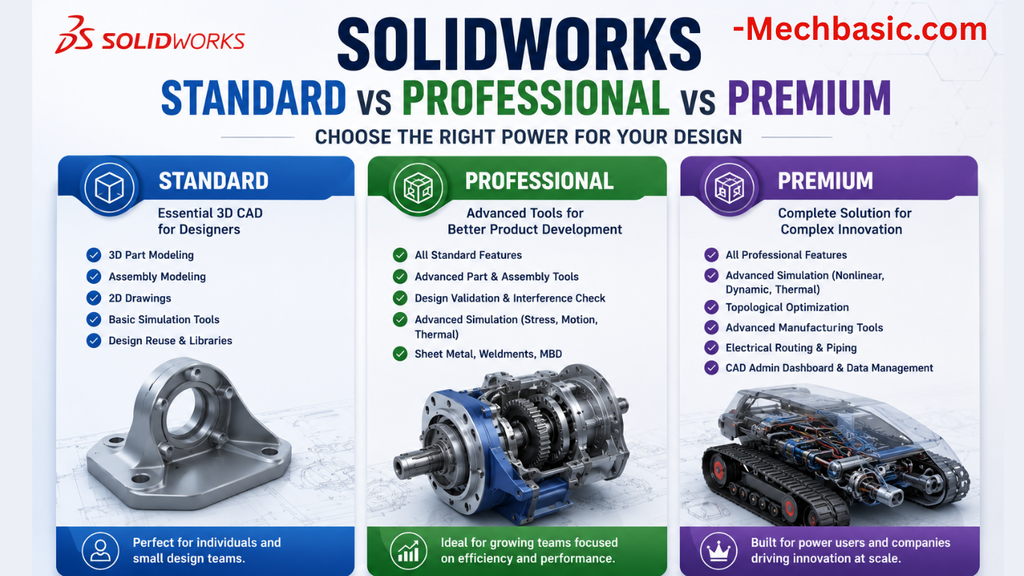
SolidWorks Standard vs Professional vs Premium: Full Feature Comparison
SolidWorks Standard vs Professional vs Premium: Full Feature Comparison Overview: SOLIDWORKS Package Overview SOLIDWORKS comes…
SolidWorks 2026 License Cost: Perpetual vs Subscription Pricing Breakdown
SolidWorks 2026 License Cost: Perpetual vs Subscription Pricing Breakdown Overview: SOLIDWORKS 2026 License Options SOLIDWORKS…

Flatness-GD&T | GD&T Tutorials

ANSI vs ISO Standards-Key Differences you need to know

Straightness-GD&T | GD&T Tutorials
Categories:




















