
Key Takeaways:
SOLIDWORKS vs. Fusion 360
SOLIDWORKS
SOLIDWORKS is a professional 3D CAD platform focused mainly on mechanical design, assemblies, engineering drawings, and product development. It is widely used in engineering and manufacturing industries.
Fusion 360
Autodesk Fusion 360 is a cloud-connected design and manufacturing platform that combines CAD, CAM, CAE, electronics, and collaboration in one environment. It is popular with students, startups, makers, and small manufacturing teams.
| Feature | SOLIDWORKS | Fusion 360 |
|---|---|---|
| 3D CAD | ⭐⭐⭐⭐⭐ | ⭐⭐⭐⭐ |
| Mechanical Design | ⭐⭐⭐⭐⭐ | ⭐⭐⭐⭐ |
| Assembly Design | ⭐⭐⭐⭐⭐ | ⭐⭐⭐⭐ |
| 2D Drawings | ⭐⭐⭐⭐⭐ | ⭐⭐⭐⭐ |
| FEA/Simulation | ⭐⭐⭐⭐ | ⭐⭐⭐⭐ |
| CAM/CNC | ⭐⭐⭐⭐ | ⭐⭐⭐⭐⭐ |
| Cloud Collaboration | ⭐⭐⭐ | ⭐⭐⭐⭐⭐ |
| Ease of Learning | Moderate | Easier |
| Large Assemblies | ⭐⭐⭐⭐⭐ | ⭐⭐⭐⭐ |
| Industry Adoption | ⭐⭐⭐⭐⭐ | ⭐⭐⭐⭐ |
| Best For | Professional mechanical engineering | Integrated design + manufacturing |
Which Should You Learn?
Mechanical Engineering → SOLIDWORKS
Product Design → SOLIDWORKS
Large Assemblies → SOLIDWORKS
CNC/CAM → Fusion 360
3D Printing & Makers → Fusion 360
Cloud Collaboration → Fusion 360
Professional CAD Career → SOLIDWORKS
Key Takeaway
SOLIDWORKS → Professional Mechanical CAD + Assemblies + Engineering Design
Fusion 360 → CAD + CAM + CAE + Electronics + Cloud Collaboration
For a mechanical engineering student aiming for a CAD/design job, I would learn SOLIDWORKS first and then add Fusion 360 as a secondary skill.
In this article:
SOLIDWORKS vs. Fusion 360
SOLIDWORKS and Autodesk Fusion 360 are popular CAD platforms used for 3D modeling, mechanical design, assemblies, product development, engineering drawings, and manufacturing.
Both can handle professional design work, but they have different strengths.
- SOLIDWORKS is especially strong in mechanical engineering, detailed assemblies, production drawings, and traditional parametric CAD workflows.
- Fusion 360 combines CAD, CAM, CAE, electronics, and cloud collaboration in a single platform and is particularly attractive for startups, makers, students, and integrated design-to-manufacturing workflows.
SOLIDWORKS
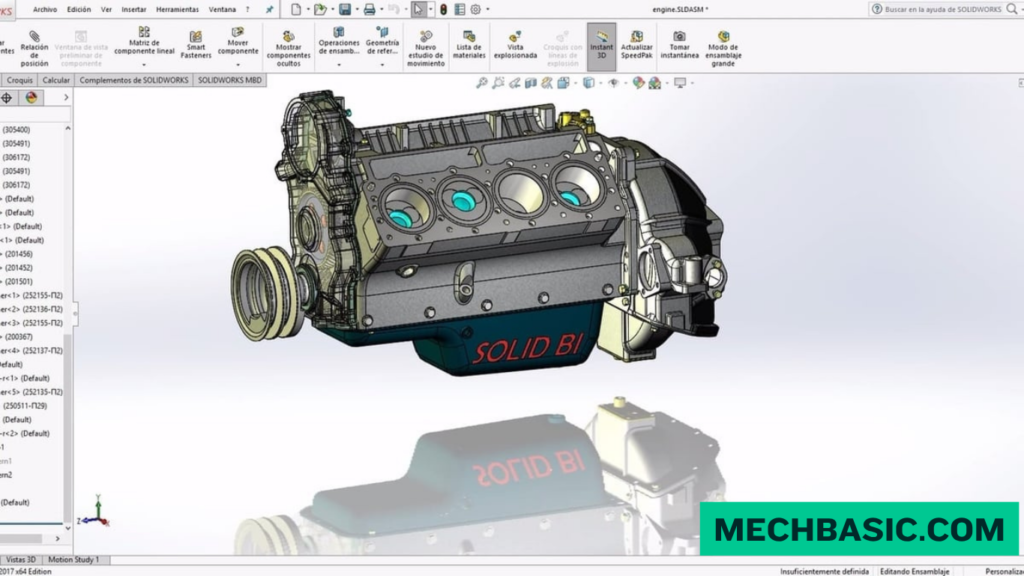
SOLIDWORKS is a professional mechanical CAD platform widely used for designing parts, assemblies, and engineering documentation.
Key Features
- Parametric 3D modeling
- Part design
- Assembly design
- Engineering drawings
- Sheet-metal design
- Weldments
- Surface modeling
- Simulation
- Rendering
- Configurations
- Product documentation
Best For
SOLIDWORKS is particularly suitable for:
- Mechanical engineering
- Machine design
- Industrial equipment
- Product development
- Manufacturing companies
- Engineering design offices
- Large and complex assemblies
Dassault Systèmes SOLIDWORKS Official Page: Official product portal covering desktop parametric mechanical modeling, large assembly design, simulation, and 3DEXPERIENCE cloud connectivity.
Fusion 360
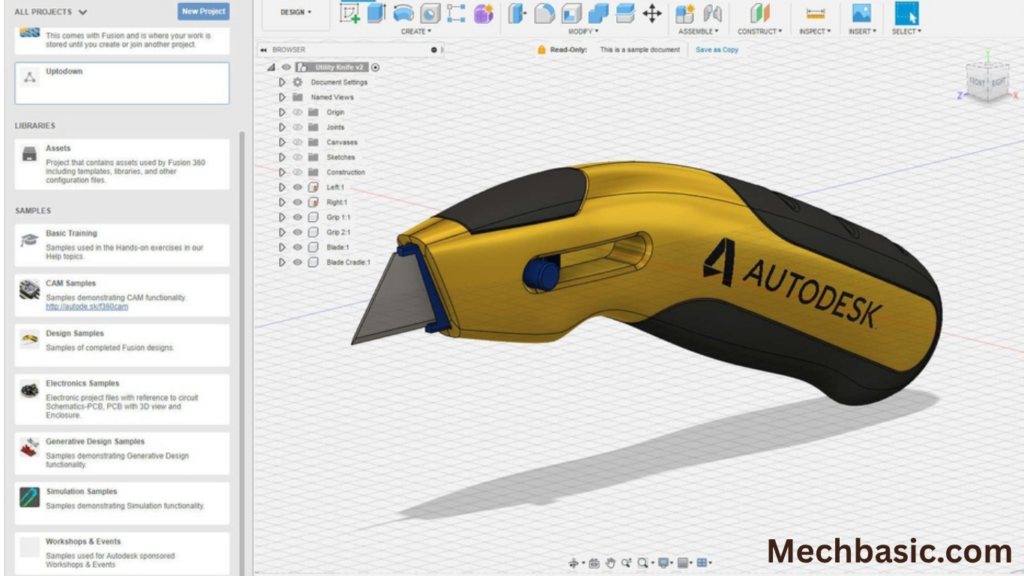
Autodesk Fusion 360 is an integrated design and manufacturing platform that combines CAD with tools for CAM, simulation, electronics, and collaborative workflows.
Key Features
- 3D parametric modeling
- Direct modeling
- Assembly design
- Sheet-metal design
- Sculpting and surface tools
- CAM/CNC manufacturing
- Basic simulation capabilities
- Electronics and PCB design
- Cloud-based collaboration
- Generative design capabilities
Best For
Fusion 360 is particularly suitable for:
- Product design
- Prototyping
- CNC manufacturing
- Makers
- Startups
- Small businesses
- Students
- Integrated CAD/CAM workflows
Autodesk Fusion Official Page: Official overview of integrated CAD, CAM, CAE, PCB design, generative design tools, and native macOS/Windows support.
SOLIDWORKS vs. Fusion 360
| Feature | SOLIDWORKS | Fusion 360 |
|---|---|---|
| 3D CAD | ⭐⭐⭐⭐⭐ | ⭐⭐⭐⭐⭐ |
| Parametric modeling | ⭐⭐⭐⭐⭐ | ⭐⭐⭐⭐⭐ |
| Mechanical design | ⭐⭐⭐⭐⭐ | ⭐⭐⭐⭐ |
| Assembly design | ⭐⭐⭐⭐⭐ | ⭐⭐⭐⭐ |
| Engineering drawings | ⭐⭐⭐⭐⭐ | ⭐⭐⭐⭐ |
| Sheet metal | ⭐⭐⭐⭐⭐ | ⭐⭐⭐⭐ |
| CAM/CNC | ⭐⭐⭐⭐ | ⭐⭐⭐⭐⭐ |
| Electronics/PCB | Limited compared with Fusion’s integrated workflow | ⭐⭐⭐⭐⭐ |
| Cloud collaboration | ⭐⭐⭐ | ⭐⭐⭐⭐⭐ |
| Ease of learning | ⭐⭐⭐⭐ | ⭐⭐⭐⭐ |
| Large mechanical assemblies | ⭐⭐⭐⭐⭐ | ⭐⭐⭐⭐ |
| Product prototyping | ⭐⭐⭐⭐⭐ | ⭐⭐⭐⭐⭐ |
| Integrated design-to-manufacturing | ⭐⭐⭐⭐ | ⭐⭐⭐⭐⭐ |
These are broad qualitative comparisons; capabilities can depend on the specific product version, license, and workflow.
SOLIDWORKS Applications
1. Mechanical Engineering
SOLIDWORKS is widely used for:
- Machine components
- Mechanisms
- Fixtures
- Industrial machinery
- Mechanical assemblies
2. Manufacturing
Applications include:
- Production equipment
- Tooling
- Fabrication
- Engineering drawings
- Manufacturing documentation
3. Product Design
SOLIDWORKS can be used for:
- Consumer products
- Appliances
- Enclosures
- Mechanical products
- Prototypes
4. Automotive
Applications include:
- Automotive components
- Brackets
- Fixtures
- Mechanical systems
- Accessories
Fusion 360 Applications
1. Product Development
Fusion 360 combines several design capabilities in one environment, making it useful for developing products from initial concepts through manufacturing.
2. CNC Manufacturing
One of Fusion 360’s major strengths is its integrated CAM functionality.
It can be used to prepare manufacturing operations for:
- Milling
- Turning
- CNC machining
- Toolpaths
3. Prototyping
Fusion 360 is popular for rapid product development and prototyping.
Typical workflow:
Concept → 3D Model → Simulation → CAM → Prototype
4. Electronics
Fusion 360 also includes integrated electronics design capabilities, allowing mechanical and PCB design workflows to be connected within the broader platform.
5. Makers and Small Businesses
Fusion 360 can be attractive when one platform needs to cover multiple stages of a product-development workflow without adopting several separate software packages.
Main Difference
The simplest way to understand the difference is:
SOLIDWORKS
Professional mechanical CAD + detailed assemblies + engineering documentation
Fusion 360
Integrated CAD + CAM + electronics + cloud collaboration
SOLIDWORKS is often the stronger choice when your primary focus is professional mechanical engineering and detailed production design.
Fusion 360 is particularly attractive when you want an integrated workflow from design through CNC manufacturing, along with cloud collaboration and electronics capabilities.
Ease of Learning
SOLIDWORKS
SOLIDWORKS has a structured parametric modeling workflow:
Sketch → Feature → Part → Assembly → Drawing
This makes it a strong platform for learning traditional mechanical CAD.
Fusion 360
Fusion 360 provides multiple modeling approaches and integrates several engineering disciplines.
Beginners may appreciate having:
- CAD
- CAM
- Electronics
- Simulation
- Collaboration
within one platform.
However, learning all of these capabilities requires more than simply learning basic 3D modeling.
SOLIDWORKS vs. Fusion 360 for Jobs
| Career Goal | Recommended |
|---|---|
| Mechanical CAD | SOLIDWORKS ⭐ |
| Machine design | SOLIDWORKS ⭐ |
| Large assemblies | SOLIDWORKS ⭐ |
| Engineering drawings | SOLIDWORKS ⭐ |
| Traditional manufacturing design | SOLIDWORKS ⭐ |
| CNC/CAM | Fusion 360 ⭐ |
| Rapid prototyping | Fusion 360 ⭐ |
| Makers/DIY | Fusion 360 ⭐ |
| Electronics + mechanical design | Fusion 360 ⭐ |
| Cloud collaboration | Fusion 360 ⭐ |
| Professional product design | Both |
For employment, the best choice ultimately depends on the software used by your target employers.
Frequently Asked Questions (FAQs)
1. Is SOLIDWORKS better than Fusion 360?
Not universally. SOLIDWORKS is particularly strong for professional mechanical CAD, while Fusion 360 is particularly strong for integrated CAD/CAM, electronics, and cloud-based workflows.
2. Is Fusion 360 easier than SOLIDWORKS?
Both are approachable for beginners, but the learning experience is different. Fusion 360 exposes users to a broader range of tools, while SOLIDWORKS provides a very established mechanical CAD workflow.
3. Which is better for mechanical engineering?
For a career focused heavily on mechanical design, assemblies, and engineering drawings, SOLIDWORKS is generally the stronger choice.
4. Which is better for CNC?
Fusion 360 has a major advantage because CAD and CAM are integrated into the same platform.
5. Can I learn Fusion 360 after SOLIDWORKS?
Yes. The underlying concepts—sketches, constraints, features, assemblies, drawings, and design intent—transfer well.
6. Should I learn both?
Yes, if you have enough time. SOLIDWORKS + Fusion 360 gives you exposure to professional mechanical CAD as well as integrated CAD/CAM and product-development workflows.
Summary
| Category | Better Choice |
|---|---|
| Mechanical engineering | SOLIDWORKS ⭐ |
| Machine design | SOLIDWORKS ⭐ |
| Complex assemblies | SOLIDWORKS ⭐ |
| Engineering drawings | SOLIDWORKS ⭐ |
| Traditional mechanical CAD | SOLIDWORKS ⭐ |
| CNC/CAM | Fusion 360 ⭐ |
| Product prototyping | Fusion 360 ⭐ |
| Electronics integration | Fusion 360 ⭐ |
| Cloud collaboration | Fusion 360 ⭐ |
| Makers/startups | Fusion 360 ⭐ |
| Professional mechanical design | SOLIDWORKS ⭐ |
| Design-to-manufacturing workflow | Fusion 360 ⭐ |
Conclusion
SOLIDWORKS and Fusion 360 are both powerful CAD platforms, but they have different strengths.
SOLIDWORKS is an excellent choice for mechanical engineering, machine design, assemblies, production drawings, and professional product development.
Fusion 360 is particularly strong for integrated CAD/CAM, CNC manufacturing, prototyping, electronics, and cloud-based collaboration.
Latest articles:
Best Budget Workstation Laptops for SolidWorks and Heavy 3D Assembly Modeling
Best Budget Workstation Laptops for SolidWorks and Heavy 3D Assembly Modeling Overview What Does SOLIDWORKS…
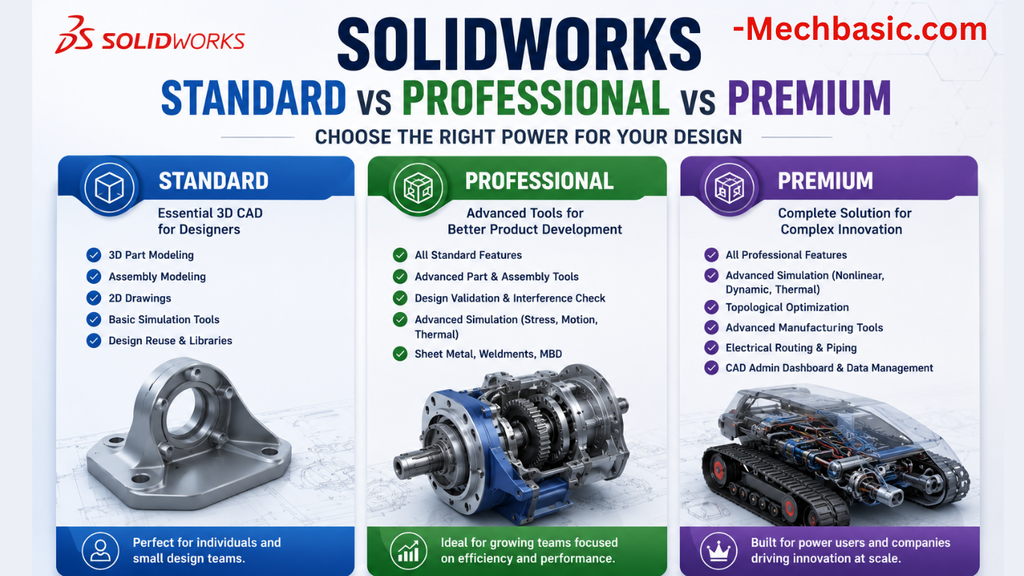
SolidWorks Standard vs Professional vs Premium: Full Feature Comparison
SolidWorks Standard vs Professional vs Premium: Full Feature Comparison Overview: SOLIDWORKS Package Overview SOLIDWORKS comes…
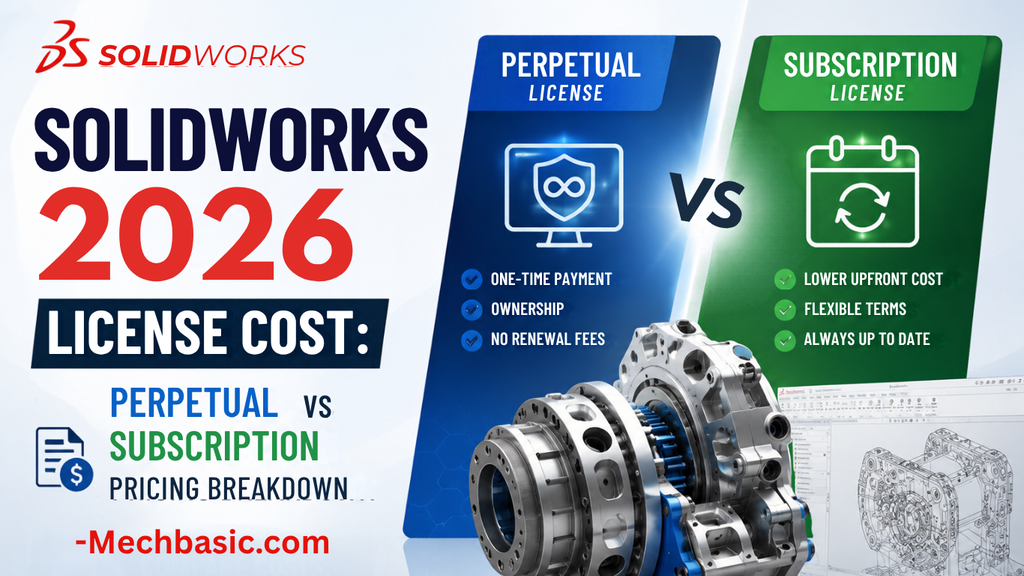
SolidWorks 2026 License Cost: Perpetual vs Subscription Pricing Breakdown
SolidWorks 2026 License Cost: Perpetual vs Subscription Pricing Breakdown Overview: SOLIDWORKS 2026 License Options SOLIDWORKS…

Flatness-GD&T | GD&T Tutorials

ANSI vs ISO Standards-Key Differences you need to know

Straightness-GD&T | GD&T Tutorials
Related Tags:
Categories:




















