
Key Takeaways:
SOLIDWORKS PDM
What is SOLIDWORKS PDM?
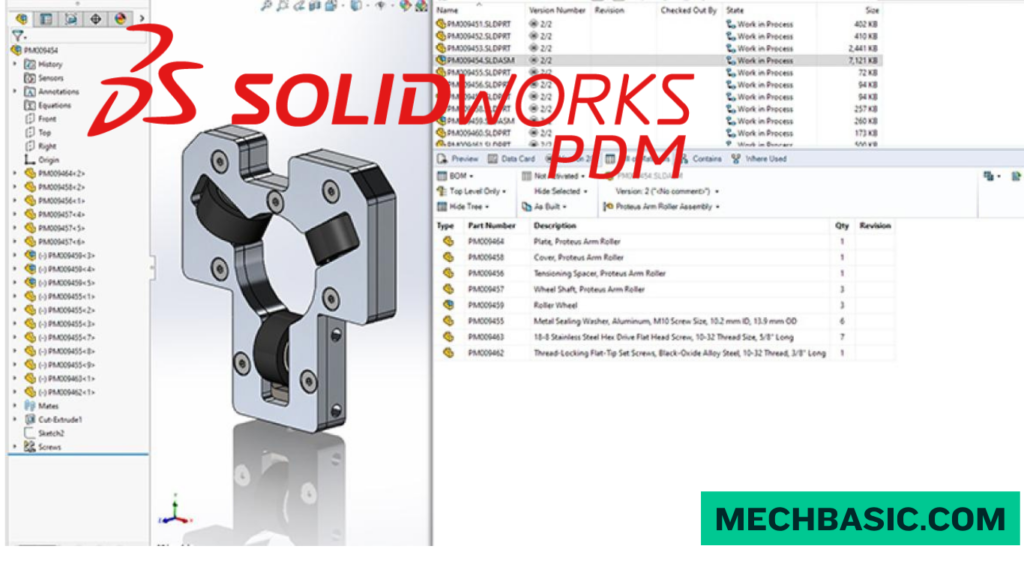
SOLIDWORKS PDM (Product Data Management) is a system used to securely store, organize, manage, and control engineering files such as CAD models, assemblies, drawings, and related documents. It helps teams maintain the correct version of designs and manage the entire design workflow.
Key Features of SOLIDWORKS PDM:
SOLIDWORKS PDM provides version control, file check-in/check-out, revision management, user permissions, file search, workflow management, and automatic file references. It also prevents multiple users from accidentally overwriting each other’s work.
Benefits of SOLIDWORKS PDM:
PDM improves data security, collaboration, design organization, and productivity while reducing duplicate files, incorrect revisions, and accidental data loss.
How SOLIDWORKS PDM Works:
Design files are stored in a centralized PDM vault. Users check out files to work on them and check them in when finished. The system records file versions and controls who can access, modify, approve, or release each file.
Key Takeaway
PDM Vault → Check Out → Modify → Check In → Version Control → Approval → Release
In this article:
SOLIDWORKS PDM
Introduction
SOLIDWORKS PDM (Product Data Management) is a data-management system designed to help engineering teams store, organize, control, and manage CAD files and related documents.
Instead of keeping SOLIDWORKS parts, assemblies, drawings, and documents scattered across individual computers or network folders, PDM provides a controlled environment where teams can manage files, revisions, approvals, and access permissions.
SOLIDWORKS PDM is especially useful for organizations working with large numbers of CAD files and multiple engineers or designers.
What is SOLIDWORKS PDM?
SOLIDWORKS PDM is a product data management solution used to control engineering files throughout their lifecycle.
It can manage:
- SOLIDWORKS parts
- SOLIDWORKS assemblies
- SOLIDWORKS drawings
- CAD references
- PDFs
- Office documents
- Manufacturing documents
- Specifications
- Revision information
Workflow
Create Design
↓
Save to PDM Vault
↓
Check Out
↓
Edit
↓
Check In
↓
Review
↓
Approve
↓
Release
This helps ensure that everyone is working with the correct version of a design.
SOLIDWORKS PDM Professional Web API Help: Official Dassault Systèmes API documentation for developing RESTful web applications and custom integrations with SOLIDWORKS PDM Professional.
Key Features of SOLIDWORKS PDM
1. Centralized File Management
SOLIDWORKS PDM stores engineering data in a controlled PDM vault.
2. Check-In and Check-Out
One of the core PDM features is check-in/check-out.
Check Out
A user checks out a file when they need to modify it.
Edit
The user makes changes to the CAD model.
Check In
The updated file is checked back into the vault.
This helps prevent multiple users from accidentally overwriting each other’s changes.
3. Version and Revision Control
SOLIDWORKS PDM maintains information about file versions and revisions.
4. File References
SOLIDWORKS assemblies often contain references to many parts and subassemblies.
PDM helps maintain these relationships.
For example:
Assembly
→ Part A
→ Part B
→ Part C
→ Subassembly
→ Drawing
This is particularly important for large assemblies.
5. Workflow Management
PDM can be configured to control the movement of files through engineering processes.
A typical workflow might be:
Work in Progress
↓
Engineering Review
↓
Approved
↓
Released
↓
Obsolete
Different users can be given permission to move files between these states.
6. User Permissions
Administrators can control who can:
- View files
- Edit files
- Check out files
- Check in files
- Change states
- Approve designs
- Release revisions
This helps protect important engineering data.
7. Search
SOLIDWORKS PDM provides tools for finding files and engineering information.
Users can search based on information such as:
- File name
- Description
- Part number
- Revision
- Author
- Custom properties
- File status
This is much more efficient than manually searching through large folder structures.
8. Bill of Materials (BOM) Management
PDM can work with SOLIDWORKS assemblies and provide access to Bill of Materials (BOM) information.
For example:
Product Assembly
→ 1 × Housing
→ 4 × Bolts
→ 2 × Bearings
→ 1 × Shaft
This can help engineering and manufacturing teams work from consistent product information.
9. Audit Trail
PDM can maintain information about changes made to files.
Organizations can track information such as:
- Who modified a file
- When it was changed
- Which revision was created
- Which workflow state it entered
This improves traceability.
10. Automatic File References
When CAD files are moved or managed through PDM, their references can be maintained more reliably.
This is particularly valuable for assemblies containing many dependent files.
Benefits of SOLIDWORKS PDM
1. Prevents Data Loss
Controlled file management reduces the risk of accidentally deleting or overwriting important engineering files.
2. Prevents Duplicate Work
Team members can see whether a file is already being edited.
This reduces the possibility of two engineers unknowingly working on conflicting versions.
3. Improves Revision Control
Teams can clearly distinguish between different versions and released revisions.
4. Improves Collaboration
Engineers, designers, manufacturing teams, and managers can work from a controlled source of engineering data.
5. Saves Engineering Time
Instead of manually searching through folders, users can search the PDM vault for the required design or document.
6. Protects Design Data
Permissions and controlled workflows help restrict unauthorized modifications.
7. Improves Traceability
Teams can determine:
Who changed it?
When was it changed?
Which version was used?
Was it approved?
This is especially useful in regulated or quality-controlled engineering environments.
8. Supports Engineering Change Processes
PDM can help organizations manage design changes through controlled workflows.
How SOLIDWORKS PDM Works
A simplified PDM workflow looks like this:
Step 1: Create a CAD File
An engineer creates a SOLIDWORKS part, assembly, or drawing.
Step 2: Add It to the PDM Vault
The file is stored and managed within the PDM system.
Step 3: Check Out
The engineer checks out the file before modifying it.
Step 4: Edit
The engineer makes the required design changes.
Step 5: Check In
The updated file is checked back into the vault.
Step 6: Review
The file can move through an engineering review workflow.
Step 7: Approve
An authorized person approves the design.
Step 8: Release
The approved revision becomes available for downstream users such as manufacturing or purchasing.
Example: SOLIDWORKS PDM Workflow
Imagine a company designing a pump assembly.
Engineer
Creates:
- Pump housing
- Shaft
- Impeller
- Cover
- Assembly
- Manufacturing drawing
PDM
Manages the relationships between these files.
Engineering Review
The assembly is checked by another engineer.
Approval
The design is approved.
Release
The manufacturing department receives the released revision.
If the pump housing is later modified, PDM can manage the new version/revision and maintain the history of the previous design.
SOLIDWORKS PDM vs. Normal Folder Management
| Feature | Normal Folders | SOLIDWORKS PDM |
|---|---|---|
| File storage | ✅ | ✅ |
| Check-in/check-out | ❌ | ✅ |
| Revision control | Manual | ✅ |
| Workflow | Limited | ✅ |
| User permissions | Basic | Advanced |
| CAD references | Manual management | Managed |
| Search | Basic | Advanced |
| Audit history | ❌ | ✅ |
| Engineering approval | Manual | Workflow-based |
| BOM information | Limited | ✅ |
Who Uses SOLIDWORKS PDM?
SOLIDWORKS PDM is particularly useful for:
- Mechanical engineers
- CAD designers
- Product designers
- Manufacturing engineers
- Engineering managers
- Quality teams
- Document controllers
- Manufacturing organizations
It becomes increasingly valuable as the number of users, projects, and CAD files increases.
SOLIDWORKS PDM vs. PLM
These terms are related but not identical.
PDM
Focuses primarily on engineering/product data management.
Examples:
- CAD files
- Revisions
- File workflows
- Engineering documents
- Access control
PLM
Product Lifecycle Management generally covers a broader product lifecycle, potentially including:
- Product planning
- Engineering
- Manufacturing
- Supply chain
- Quality
- Service
- Product lifecycle information
In simple terms:
PDM = Manage product data
PLM = Manage the broader product lifecycle
Frequently Asked Questions (FAQs)
1. What is SOLIDWORKS PDM used for?
SOLIDWORKS PDM is used to store, organize, control, search, revise, and approve engineering files and CAD data.
2. What is a PDM vault?
A PDM vault is the controlled environment where engineering files and their associated information are managed.
3. What is check-in and check-out?
Check-out allows a user to edit a file while controlling access to it. Check-in returns the updated file to the PDM system and records the change.
4. Does SOLIDWORKS PDM manage assemblies?
Yes. It can manage SOLIDWORKS assemblies and their associated parts, subassemblies, drawings, and references.
5. Does SOLIDWORKS PDM provide revision control?
Yes. Revision and version management are important functions of PDM.
6. Is SOLIDWORKS PDM useful for small companies?
It can be. The value increases when a company has multiple engineers, many CAD files, frequent design changes, or a need for controlled approval and revision processes.
Conclusion
SOLIDWORKS PDM provides a controlled system for managing CAD files, engineering documents, revisions, workflows, and product data.
Its main functions include:
File Management
→ Check-In/Check-Out
→ Version Control
→ Revision Management
→ Workflow & Approval
→ Search
→ Permissions
→ Traceability
For an individual SOLIDWORKS learner, PDM may not be necessary. But for engineering teams and manufacturing organizations, it can significantly improve data organization, collaboration, revision control, and engineering change management.
Latest articles:

Flatness-GD&T | GD&T Tutorials

ANSI vs ISO Standards-Key Differences you need to know

Straightness-GD&T | GD&T Tutorials
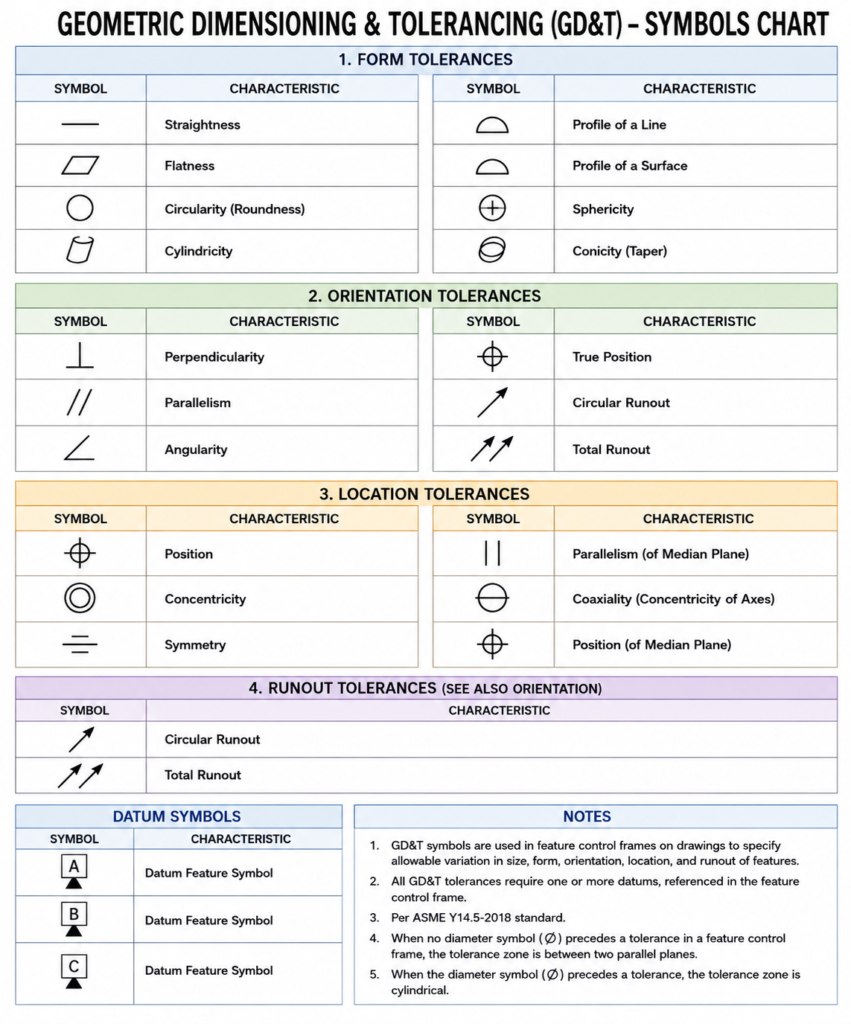
GD&T Symbols chart- Free download | GD&T
Geometric Dimensioning and Tolerancing (GD&T) is a standardized system used in engineering drawings to define…
GD&T Symbols, Basics and full form
Can I convert a DXF to STL?
Can I convert a DXF to STL? Can I Convert a DXF to STL? Yes,…
Related Tags:
Categories:




















