
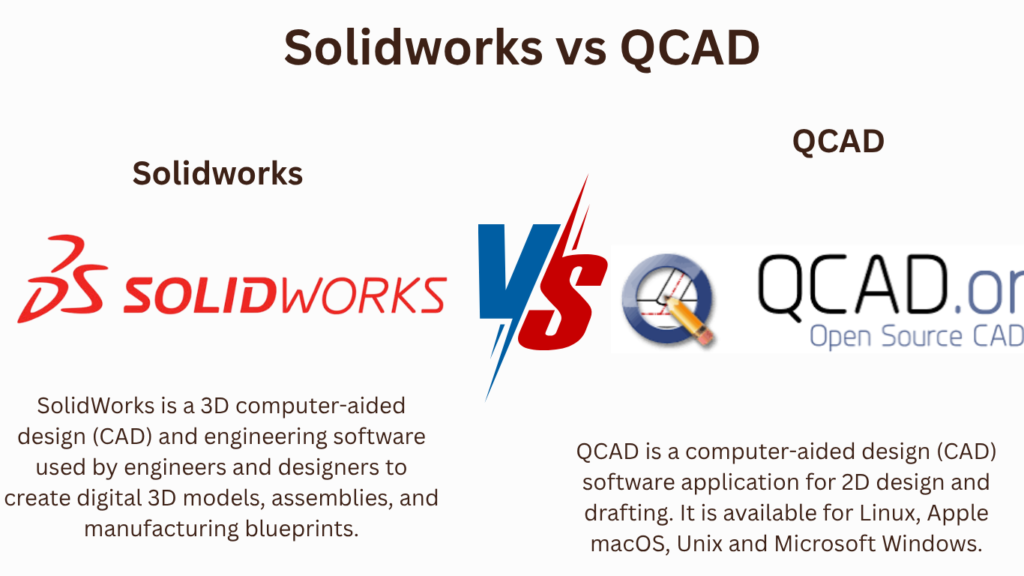
Key Takeaways:
QCAD vs. SOLIDWORKS
QCAD
QCAD is a 2D CAD software mainly used for creating technical drawings, floor plans, mechanical layouts, and other 2D designs. It is lightweight, easy to learn, and suitable for basic drafting.
SOLIDWORKS
SOLIDWORKS is a 3D CAD software used to create detailed parts, assemblies, and engineering drawings. It also provides tools for simulation, sheet metal, weldments, rendering, and product development.
| Feature | QCAD | SOLIDWORKS |
|---|---|---|
| Primary Use | 2D drafting | 3D mechanical design |
| 3D Modeling | Limited/No | ✅ Advanced |
| 2D Drawing | ✅ Excellent | ✅ Excellent |
| Assembly Design | ❌ | ✅ |
| FEA/Simulation | ❌ | ✅ |
| Sheet Metal | Basic | ✅ Advanced |
| Ease of Learning | Easy | Moderate |
| Hardware Requirement | Low | Higher |
| Best For | 2D technical drawings | Mechanical/product design |
| Cost | Lower | Higher |
Key Takeaway
QCAD → Simple 2D Drafting
SOLIDWORKS → Advanced 3D Design + Simulation + Manufacturing
Choose QCAD for lightweight 2D drafting.
Choose SOLIDWORKS for professional mechanical engineering and 3D product development.
In this article:
QCAD vs. SOLIDWORKS
QCAD and SOLIDWORKS are both CAD software, but they are designed for very different purposes.
- QCAD is primarily a 2D CAD drafting solution.
- SOLIDWORKS is primarily a 3D mechanical CAD and product-design platform.
The right choice depends on whether you need 2D drafting or advanced 3D mechanical design.
QCAD
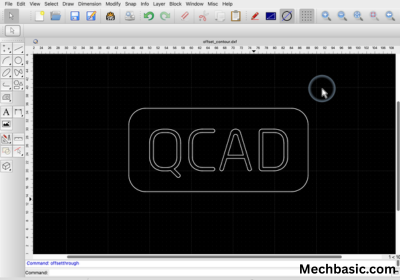
QCAD is a computer-aided design application focused mainly on creating 2D technical drawings.
Key Features
- 2D drafting
- Lines and polylines
- Circles and arcs
- Dimensions
- Layers
- Blocks
- Hatching
- Technical drawings
- DXF support
- Printing and documentation
Best For
QCAD is suitable for:
- 2D mechanical drawings
- Architectural plans
- Electrical drawings
- Technical documentation
- Simple engineering layouts
- Users looking for a relatively lightweight CAD application
QCAD Official Website: Main portal for the 2D CAD drafting solution supporting DXF/DWG formats across Windows, macOS, and Linux
SOLIDWORKS
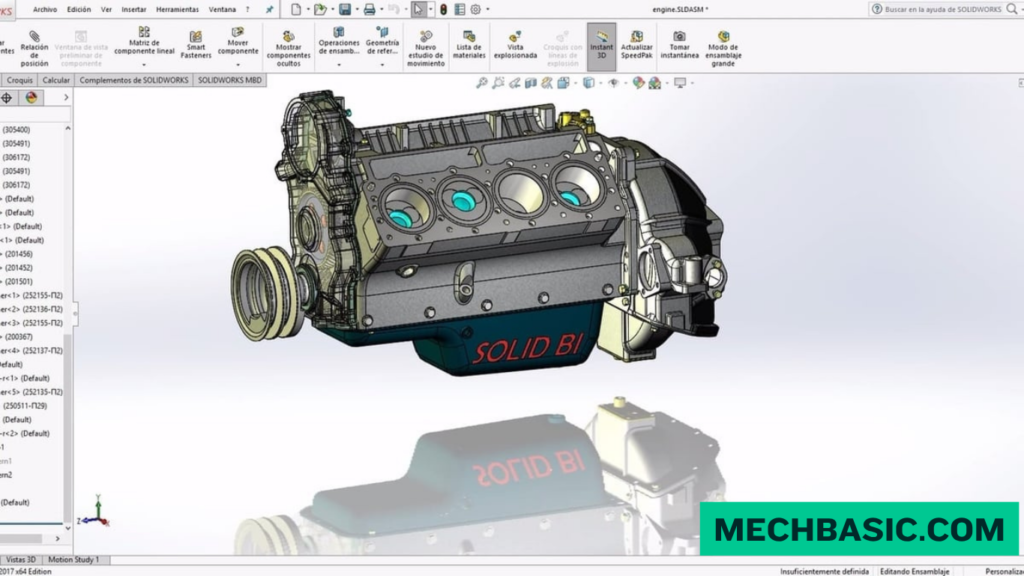
SOLIDWORKS is a professional 3D parametric CAD platform widely used for mechanical design and product development.
Key Features
- 3D parametric modeling
- Part design
- Assembly design
- Engineering drawings
- Sheet-metal design
- Weldments
- Surface modeling
- Configurations
- Simulation
- Rendering
- CAM integration
Best For
SOLIDWORKS is particularly suitable for:
- Mechanical engineering
- Machine design
- Product development
- Manufacturing
- Industrial equipment
- Mechanical assemblies
- 3D product design
Dassault Systèmes SOLIDWORKS Official Page: Official overview of 3D parametric solid modeling, multi-component assembly, simulation, and cloud collaboration tools.
QCAD vs. SOLIDWORKS
| Feature | QCAD | SOLIDWORKS |
|---|---|---|
| 2D drafting | ⭐⭐⭐⭐⭐ | ⭐⭐⭐⭐ |
| 3D modeling | Limited/2D-focused | ⭐⭐⭐⭐⭐ |
| Parametric 3D design | ❌ | ⭐⭐⭐⭐⭐ |
| Mechanical assemblies | ❌ | ⭐⭐⭐⭐⭐ |
| Engineering drawings | ⭐⭐⭐⭐ | ⭐⭐⭐⭐⭐ |
| Architecture/2D layouts | ⭐⭐⭐⭐ | ⭐⭐⭐ |
| Machine design | ⭐⭐ | ⭐⭐⭐⭐⭐ |
| Product design | ⭐⭐ | ⭐⭐⭐⭐⭐ |
| Sheet metal | Limited | ⭐⭐⭐⭐⭐ |
| Simulation | ❌ | ✅ |
| CAM | ❌ | ✅ with SOLIDWORKS CAM |
| Ease of learning for basic 2D | ⭐⭐⭐⭐⭐ | ⭐⭐⭐ |
| Professional mechanical design | ⭐⭐ | ⭐⭐⭐⭐⭐ |
QCAD vs. SOLIDWORKS: Main Difference
The simplest way to understand the difference is:
QCAD
2D CAD → Drafting → Technical Drawings
SOLIDWORKS
3D CAD → Parts → Assemblies → Product Development
For example, if you need to create a 2D floor plan, technical drawing, or simple mechanical layout, QCAD may be sufficient.
If you need to design a machine component, gearbox, assembly, or complete 3D product, SOLIDWORKS is the much stronger choice.
Applications
QCAD Applications
1. Mechanical Drafting
Used for:
- 2D component drawings
- Manufacturing layouts
- Mechanical details
- Dimensions and annotations
2. Architectural Drafting
Used for:
- Floor plans
- Building layouts
- Sections
- Basic architectural documentation
3. Electrical Drafting
Used for:
- Wiring layouts
- Electrical diagrams
- Panel layouts
- Technical documentation
4. General 2D CAD
QCAD can be useful when the primary requirement is creating and editing precise 2D drawings without needing advanced 3D mechanical modeling.
SOLIDWORKS Applications
1. Mechanical Engineering
Used for:
- Machine components
- Mechanisms
- Fixtures
- Industrial machinery
2. Product Design
Used for:
- Consumer products
- Enclosures
- Appliances
- Mechanical products
3. Manufacturing
Used for:
- Sheet metal
- Weldments
- Tooling
- Production components
- Manufacturing drawings
4. Assemblies
SOLIDWORKS can combine individual parts into complete assemblies and allow engineers to evaluate how components fit and interact.
Which Should You Learn?
Choose QCAD If:
You mainly want:
- 2D drafting
- Technical drawings
- Simple CAD layouts
- Lightweight CAD software
- Basic architectural/mechanical drafting
QCAD is a good choice.
Choose SOLIDWORKS If:
You want to work in:
- Mechanical engineering
- Machine design
- Product design
- Manufacturing
- 3D CAD
- Mechanical assemblies
- Engineering product development
SOLIDWORKS is the better choice.
Career Comparison
| Career Goal | Recommended |
|---|---|
| Basic 2D CAD | QCAD ⭐ |
| 2D drafting | QCAD ⭐ |
| Lightweight CAD | QCAD ⭐ |
| Mechanical drafting | SOLIDWORKS ⭐ |
| Mechanical engineering | SOLIDWORKS ⭐ |
| Machine design | SOLIDWORKS ⭐ |
| Product design | SOLIDWORKS ⭐ |
| 3D modeling | SOLIDWORKS ⭐ |
| Assembly design | SOLIDWORKS ⭐ |
| Manufacturing design | SOLIDWORKS ⭐ |
| Sheet-metal design | SOLIDWORKS ⭐ |
| Simulation | SOLIDWORKS ⭐ |
| CAD/CAM workflow | SOLIDWORKS ⭐ |
QCAD vs. SOLIDWORKS: Cost Consideration
One major difference is the software’s positioning.
QCAD is aimed at accessible 2D CAD and offers editions intended for users who need 2D drafting functionality.
SOLIDWORKS is a professional engineering platform with substantially broader 3D design and engineering capabilities, and its licensing is correspondingly more specialized.
If your work only requires 2D drawings, paying for a full-featured 3D mechanical CAD platform may provide capabilities you don’t need.
Final Recommendation
Choose QCAD if your priority is:
Simple → 2D → Drafting → Technical Drawings
Choose SOLIDWORKS if your priority is:
3D → Mechanical Design → Assemblies → Manufacturing → Product Development
For someone pursuing a mechanical engineering or mechanical CAD career, I would recommend SOLIDWORKS over QCAD because it provides a much broader foundation in modern 3D mechanical design.
For someone who primarily needs affordable, straightforward 2D drafting, QCAD can be the more practical choice.
Latest articles:

Best Budget Workstation Laptops for SolidWorks and Heavy 3D Assembly Modeling
Best Budget Workstation Laptops for SolidWorks and Heavy 3D Assembly Modeling Overview What Does SOLIDWORKS…
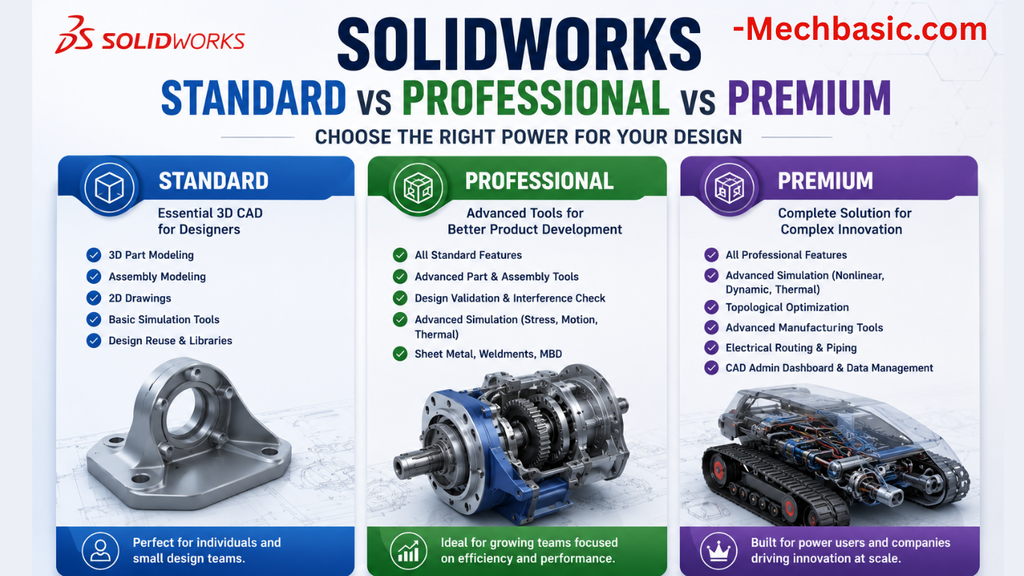
SolidWorks Standard vs Professional vs Premium: Full Feature Comparison
SolidWorks Standard vs Professional vs Premium: Full Feature Comparison Overview: SOLIDWORKS Package Overview SOLIDWORKS comes…

SolidWorks 2026 License Cost: Perpetual vs Subscription Pricing Breakdown
SolidWorks 2026 License Cost: Perpetual vs Subscription Pricing Breakdown Overview: SOLIDWORKS 2026 License Options SOLIDWORKS…

Flatness-GD&T | GD&T Tutorials

ANSI vs ISO Standards-Key Differences you need to know

Straightness-GD&T | GD&T Tutorials
Related Tags:
Categories:




















