
Key Takeaways:
Is SOLIDWORKS Free?
SOLIDWORKS is generally not free. It is a commercial CAD software that requires a paid license for professional and commercial use.
Free / Low-Cost Options:
- SOLIDWORKS for Makers – Affordable version for personal, non-commercial projects.
- SOLIDWORKS Student Edition – Available through eligible educational institutions or student programs.
- SOLIDWORKS for Students – Educational licenses may be available at reduced prices.
- Free Trial – SOLIDWORKS may offer trial access depending on the current program and region.
What About SOLIDWORKS for Education?
Students can often access SOLIDWORKS through their school, college, or university if the institution has an educational license.
Key Takeaway
Professional SOLIDWORKS → Paid
Student/Educational → Often discounted or institution-provided
Makers → Affordable personal-use option
Free Trial → Available when offered
In this article:
Is SOLIDWORKS Free?
SOLIDWORKS is not generally free for commercial users. The professional desktop versions require a paid license. However, there are several free, trial, student, and low-cost options depending on how you plan to use it.
SOLIDWORKS Commercial Pricing Overview: Official Dassault Systèmes page detailing commercial licenses, subscription plans, and quote requests.
Free / Low-Cost Options
1. SOLIDWORKS Design Standard for Students — FREE
There is currently a free SOLIDWORKS Design Standard for Students offer for qualified students.
It provides core desktop 3D CAD capabilities including:
- 3D part modeling
- Assemblies
- 2D drawings
- Sheet metal
- Weldments
- Toolbox
- Model-Based Definition
The free student license is valid for one year, and eligible students can renew/reapply if they remain qualified. The current offer is available worldwide as of July 1, 2026.
Important: The free version does not include products such as SOLIDWORKS Simulation, CAM, Visualize, or certification vouchers.
2. SOLIDWORKS Design Premium for Students
For students who need more advanced capabilities, SOLIDWORKS currently lists Design Premium for Students at $60 USD/year in the US, excluding taxes.
It adds capabilities such as:
- SOLIDWORKS Simulation
- Flow
- Plastics
- Rendering
- 2.5- and 3-axis CAM
- Advanced design tools
- Additional engineering applications
- CSWA and CSWP certification attempts
This can be a strong option for students who want to learn professional-level mechanical design plus simulation and manufacturing.
3. SOLIDWORKS xDesign for Students
If you don’t want to install the traditional Windows desktop application, SOLIDWORKS offers xDesign for Students.
It is browser-based and supports:
- Cloud 3D CAD
- Cloud storage
- Collaboration
- Design guidance
- AI-assisted design features
It works on:
- Windows PCs
- Macs
- Tablets
- Chromebooks
The current US price listed by SOLIDWORKS is $60/year, excluding local taxes.
4. SOLIDWORKS Free Trial
SOLIDWORKS also provides an online product trial that allows users to test the latest SOLIDWORKS release without installing the software. The trial provides access to SOLIDWORKS Design Premium and associated learning content.
This is useful if you want to try SOLIDWORKS before purchasing.
5. School/University Access
If your college or university already has a SOLIDWORKS Education Edition license, you may be able to get full SOLIDWORKS access at no additional cost to you.
SOLIDWORKS says qualifying students at institutions with an appropriate license can receive access to the full desktop SOLIDWORKS Design Premium offering for home use.
Ask Your College
Contact your:
- CAD laboratory
- Mechanical engineering department
- IT department
- Faculty/SOLIDWORKS administrator
and ask:
“Does our college provide SOLIDWORKS student/home-use access?”
This can be the best option if your institution already has the software.
What About SOLIDWORKS for Education?
SOLIDWORKS Education Edition is designed for schools, colleges, universities, and other educational institutions.
It provides a much broader engineering software package than the basic free student version.
Depending on the educational license, the suite can include:
- SOLIDWORKS Design Premium
- SOLIDWORKS Simulation
- SOLIDWORKS Flow Simulation
- SOLIDWORKS CAM
- SOLIDWORKS Electrical
- SOLIDWORKS Visualize
- SOLIDWORKS Composer
- PDM-related capabilities
- Other engineering tools
Student Benefit ⭐
A student whose institution has the appropriate SOLIDWORKS Education license may be able to use full SOLIDWORKS Design Premium at home at no extra cost.
Free vs. Paid Student Options
| Option | Cost | Main Purpose |
|---|---|---|
| Design Standard for Students | FREE | Core 3D CAD |
| Design Premium for Students | $60/year* | Advanced CAD + Simulation + CAM |
| xDesign for Students | $60/year* | Browser-based CAD |
| Education Edition access | Institution-dependent | Full educational suite |
| Online Trial | FREE trial | Test SOLIDWORKS |
| Commercial SOLIDWORKS | Paid | Professional engineering |
Which Option Should You Choose?
If You Are a Student
First choice: Check whether your college provides SOLIDWORKS Education access.
If not, the FREE SOLIDWORKS Design Standard for Students is an excellent way to learn core CAD.
If You Need Simulation & CAM
Choose:
SOLIDWORKS Design Premium for Students
because it includes substantially more engineering functionality.
If You Use a Mac
Consider:
SOLIDWORKS xDesign for Students
because it runs in a browser and supports Macs.
If You Are a Professional
You generally need a commercial SOLIDWORKS license rather than a student or educational license. SOLIDWORKS offers commercial licenses through online purchasing and reseller partners.
Final Answer
Is SOLIDWORKS free?
- ➡️ For commercial/professional users: No.
- ➡️ For eligible students: Yes, SOLIDWORKS Design Standard for Students is currently free for one year.
- ➡️ For students wanting advanced tools: Design Premium for Students is currently $60/year in the US.
- ➡️ If your university has SOLIDWORKS Education Edition: you may be able to use the full desktop version at no additional cost.
For a student learning mechanical engineering, product design, or manufacturing, I would check university access first, then use the free Design Standard if your college doesn’t provide a license.
Latest articles:

Flatness-GD&T | GD&T Tutorials

ANSI vs ISO Standards-Key Differences you need to know

Straightness-GD&T | GD&T Tutorials
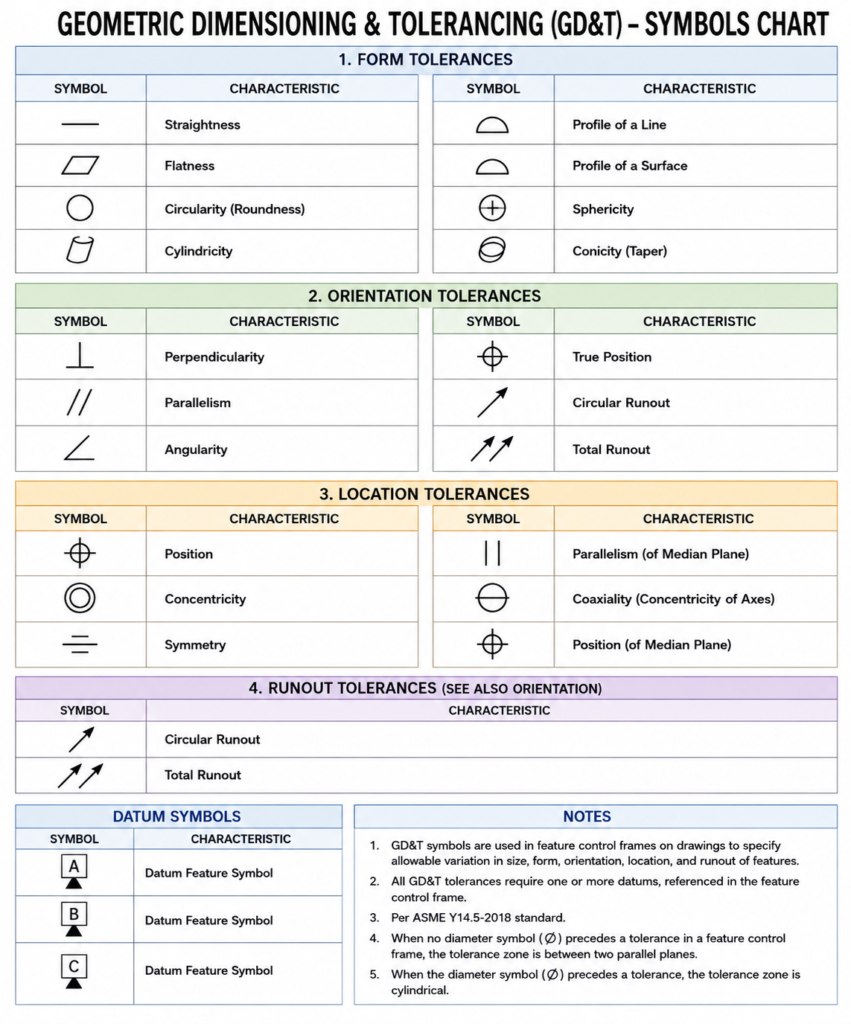
GD&T Symbols chart- Free download | GD&T
Geometric Dimensioning and Tolerancing (GD&T) is a standardized system used in engineering drawings to define…
GD&T Symbols, Basics and full form
Can I convert a DXF to STL?
Can I convert a DXF to STL? Can I Convert a DXF to STL? Yes,…
Related Tags:
Categories:




















