
Key Takeaways:
Top Certification Courses to Improve AutoCAD Skills
If your goal is to improve AutoCAD skills and strengthen your resume, I recommend focusing on Autodesk’s official certification path rather than collecting many unrelated course certificates. Autodesk currently provides both learning courses and certification preparation resources.
1. Autodesk Certified Professional (ACP) – AutoCAD for Design & Drafting
Best certification for a serious AutoCAD career.
It validates advanced skills in drawing management, drafting, editing, annotation, layouts, outputs, and collaboration. Autodesk describes it as an industry-recognized credential for demonstrating AutoCAD proficiency.
Best for:
Mechanical Drafting • CAD Designer • Design Engineer • Drafting Engineer
2. AutoCAD Fundamentals / Foundations
Build your core skills in:
- Line, Circle, Arc, Rectangle
- Trim, Extend, Offset, Fillet
- Layers
- Object Snaps
- Dimensions
- Blocks
- Templates
Autodesk provides free beginner tutorials covering these fundamentals.
Best for: Beginners
3. AutoCAD Professional Certification Prep
Autodesk has an official 7-hour self-paced preparation course specifically designed around the Professional Certification exam, including exercises and practice tests.
4. AutoCAD Mechanical
For a mechanical engineering career, learn the AutoCAD Mechanical toolset after mastering standard AutoCAD.
Focus on:
- Mechanical parts
- Standard components
- Manufacturing drawings
- Mechanical annotations
- BOMs
- Parts lists
Autodesk provides dedicated AutoCAD Mechanical learning resources.
5. Civil 3D Certification
If you’re targeting civil engineering, surveying, roads, grading, or earthwork, add Autodesk Civil 3D rather than staying only with AutoCAD.
6. AutoCAD Architecture
Useful for architectural drafting and building design, including architectural layouts and documentation.
7. AutoCAD Electrical
Recommended for electrical engineering/design jobs involving wiring diagrams, schematics, panels, and electrical documentation.
My Top 3 Recommendations
| Priority | Course/Certification | Career Value |
|---|---|---|
| 🥇 | Autodesk Certified Professional – AutoCAD | ⭐⭐⭐⭐⭐ |
| 🥈 | AutoCAD Advanced/Professional Prep | ⭐⭐⭐⭐⭐ |
| 🥉 | AutoCAD Mechanical | ⭐⭐⭐⭐ |
For getting a job: I’d choose ACP + a strong CAD portfolio over collecting 5–10 basic course certificates. Autodesk also offers free learning resources and certification preparation through its learning platform.
In this article:
- Top Certification Courses to Improve AutoCAD Skills
- Top 10 Certification Courses to Improve AutoCAD Skills
- 1. Autodesk Certified Professional (ACP) – AutoCAD for Design & Drafting
- 2. AutoCAD Fundamentals / Foundations
- 3. AutoCAD Professional Certification Prep
- 4. AutoCAD 2D Drafting Certification Course
- 5. AutoCAD 3D Modeling Certification Course
- 6. AutoCAD Mechanical Design Course
- 7. AutoCAD Architecture / Architectural Drafting Course
- 8. AutoCAD Civil 3D Certification / Training
- 9. AutoCAD MEP / Building Services CAD Course
- 10. AutoCAD Advanced / Automation Course
- AutoCAD Certification Courses by Skill Level
- Which Certification Should You Choose?
- Certification vs Course Certificate
- Benefits of AutoCAD Certification
- Frequently Asked Questions (FAQs)
- Conclusion
Top 10 Certification Courses to Improve AutoCAD Skills
Professional AutoCAD certifications and training courses can help students, engineers, architects, designers, and CAD professionals strengthen their drafting and design skills.
A certification can demonstrate knowledge of:
- 2D drafting
- 3D modeling
- Technical drawing
- CAD standards
- Annotation
- Blocks
- Layers
- Layouts
- Design documentation
- Professional AutoCAD workflows
However, the best course depends on your current skill level and career goal. Beginners should start with fundamentals, while experienced users can focus on professional certification preparation, advanced drafting, automation, and industry-specific workflows.
Below are 10 useful AutoCAD certification and training options, arranged from foundational learning to advanced professional development.
1. Autodesk Certified Professional (ACP) – AutoCAD for Design & Drafting
🥇 Best for: Experienced AutoCAD users
The Autodesk Certified Professional (ACP) credential is designed for users who want to demonstrate professional-level AutoCAD skills.
It is suitable for professionals who already have practical experience and want a recognized Autodesk credential.
Skills Covered
- Advanced 2D drafting
- Drawing management
- Annotation
- Layers
- Blocks
- Layouts
- Design documentation
- Productivity tools
- Professional CAD workflows
Best For
- CAD professionals
- Designers
- Engineers
- Experienced drafters
- Job seekers
- Professionals seeking certification
Level
Advanced
2. AutoCAD Fundamentals / Foundations
🥈 Best for: Beginners
An AutoCAD Fundamentals course is an excellent starting point for students and beginners.
These courses introduce the basic concepts required to create accurate CAD drawings.
Topics Typically Covered
- AutoCAD interface
- Drawing setup
- Units
- Basic drawing commands
- Modify commands
- Layers
- Object properties
- Dimensions
- Text
- Hatching
- Printing
- Basic layouts
Best For
- Students
- Beginners
- Engineering students
- Architecture students
- New CAD users
Level
Beginner
3. AutoCAD Professional Certification Prep
🥉 Best for: Users preparing for certification
Certification-preparation courses are designed to help experienced AutoCAD users prepare for professional certification examinations.
These courses generally combine practical AutoCAD exercises with exam-oriented preparation.
Topics May Include
- Advanced drawing creation
- Editing techniques
- Annotation
- Blocks
- External references
- Layouts
- Templates
- Drawing management
- Professional workflows
- Practice exercises
Best For
- Experienced AutoCAD users
- Certification candidates
- CAD professionals
- Job seekers
Level
Intermediate to Advanced
4. AutoCAD 2D Drafting Certification Course
Best for: Professional drafting
A dedicated AutoCAD 2D drafting course focuses on creating accurate technical drawings efficiently.
Topics Covered
- 2D geometry
- Layers
- Blocks
- Dimensions
- Text
- Hatching
- Annotation
- Layouts
- Viewports
- Plotting
- Drawing standards
Applications
- Mechanical drafting
- Architectural drafting
- Civil drafting
- Electrical drafting
- Construction documentation
Best For
CAD draftsmen and technical designers
5. AutoCAD 3D Modeling Certification Course
Best for: 3D CAD skills
AutoCAD also provides 3D modeling capabilities, making a 3D-focused course useful for users who want to expand beyond traditional 2D drafting.
Topics Covered
- 3D coordinates
- Solid modeling
- Surface modeling
- Mesh modeling
- Boolean operations
- 3D navigation
- Materials
- Visual styles
- Cameras
- Basic rendering
Best For
- 3D designers
- Mechanical designers
- Product designers
- Architecture students
- Advanced AutoCAD users
Level
Intermediate to Advanced
6. AutoCAD Mechanical Design Course
Best for: Mechanical engineering
A mechanical-focused AutoCAD course combines CAD skills with mechanical drafting practices.
Topics Covered
- Mechanical drawings
- Orthographic views
- Section views
- Assembly drawings
- Manufacturing drawings
- Dimensions
- Tolerances
- Mechanical symbols
- Parts documentation
For advanced mechanical design, learners can continue into dedicated 3D mechanical CAD platforms such as Autodesk Inventor, SolidWorks, CATIA, or Siemens NX.
Best For
- Mechanical engineering students
- Mechanical drafters
- CAD designers
- Manufacturing professionals
7. AutoCAD Architecture / Architectural Drafting Course
Best for: Architecture and construction
An architectural AutoCAD course focuses on the drawing techniques used for building documentation.
Topics Covered
- Floor plans
- Elevations
- Sections
- Doors
- Windows
- Furniture layouts
- Dimensions
- Annotation
- Construction details
- Plotting and documentation
Best For
- Architecture students
- Architectural drafters
- Interior designers
- Construction professionals
For BIM-focused careers, learners can also progress from AutoCAD into Autodesk Revit.
8. AutoCAD Civil 3D Certification / Training
Best for: Civil engineering
Civil engineering professionals can benefit from learning Autodesk Civil 3D, which extends CAD capabilities for civil infrastructure workflows.
Topics Covered
- Surface creation
- Survey data
- Alignments
- Profiles
- Corridors
- Grading
- Pipe networks
- Site development
- Civil documentation
Best For
- Civil engineering students
- Survey professionals
- Civil CAD technicians
- Infrastructure designers
Career Applications
- Road design
- Land development
- Surveying
- Drainage
- Infrastructure projects
9. AutoCAD MEP / Building Services CAD Course
Best for: MEP professionals
An MEP-focused CAD course is useful for professionals working with building mechanical, electrical, and plumbing systems.
Mechanical
- HVAC layouts
- Ductwork
- Equipment
- Piping
Electrical
- Lighting
- Power layouts
- Electrical equipment
- Wiring documentation
Plumbing
- Water supply
- Drainage
- Sanitary systems
- Plumbing layouts
Best For
- MEP drafters
- Mechanical engineers
- Electrical designers
- Plumbing designers
- Building-services professionals
For advanced BIM careers, learning Revit MEP can be a valuable next step.
10. AutoCAD Advanced / Automation Course
Best for: Experienced CAD professionals
Advanced AutoCAD training can focus on improving productivity and automating repetitive drafting tasks.
Topics Covered
- Advanced blocks
- Dynamic Blocks
- Attributes
- External references
- Templates
- Advanced layer management
- CAD standards
- AutoLISP
- Scripts
- Customization
- Workflow automation
Benefits
Automation can help professionals:
- Reduce repetitive work
- Improve productivity
- Standardize drawings
- Process large datasets
- Automate repetitive CAD operations
Best For
- Senior CAD designers
- CAD managers
- CAD technicians
- Automation specialists
- Experienced drafters
AutoCAD Certification Courses by Skill Level
| Course | Level | Best For |
|---|---|---|
| AutoCAD Fundamentals | Beginner | New users |
| AutoCAD 2D Drafting | Beginner–Intermediate | Drafters |
| Architectural Drafting | Beginner–Intermediate | Architecture |
| Mechanical CAD | Intermediate | Mechanical users |
| Civil 3D | Intermediate–Advanced | Civil engineering |
| MEP CAD | Intermediate | Building services |
| AutoCAD 3D Modeling | Intermediate–Advanced | 3D designers |
| Professional Certification Prep | Advanced | Certification candidates |
| Autodesk Certified Professional | Advanced | Experienced professionals |
| AutoCAD Automation | Advanced | Senior CAD users |
Which Certification Should You Choose?
For Beginners
Start with:
AutoCAD Fundamentals → AutoCAD 2D Drafting → Industry Specialization
This provides a strong foundation before attempting a professional certification.
For Engineering Students
A useful pathway is:
AutoCAD Fundamentals → 2D Drafting → 3D CAD → Industry-Specific CAD
Mechanical students can continue toward:
AutoCAD → Inventor/SolidWorks → GD&T → Manufacturing
Civil students can follow:
AutoCAD → Civil 3D → Surveying → Infrastructure Design
For Architecture Students
A suitable pathway is:
AutoCAD Fundamentals → Architectural Drafting → Revit → BIM
For Experienced AutoCAD Users
Consider:
Advanced AutoCAD → Professional Certification Preparation → Autodesk Certified Professional
How to Choose a Good AutoCAD Course
Before enrolling in a course, check whether it includes:
- Practical projects
- Hands-on AutoCAD exercises
- Real-world drawings
- Technical drawing standards
- Certification preparation
- Instructor support
- Updated AutoCAD version
- Portfolio projects
- Industry-specific applications
A course that only teaches commands may be less valuable than one that teaches complete project workflows.
Certification vs Course Certificate
It is important to distinguish between a course completion certificate and a professional certification.
Course Certificate
Usually demonstrates that you completed a particular training program.
Professional Certification
Typically involves an assessment or examination designed to verify your skills against a defined standard.
For career development, employers may value demonstrated practical ability alongside certifications.
Benefits of AutoCAD Certification
1. Demonstrates CAD Knowledge
Certification can provide evidence that you understand the software and its professional workflows.
2. Strengthens Your Resume
A recognized credential can make your CAD skills easier for employers to identify.
3. Improves Confidence
Certification preparation can encourage structured learning and practice.
4. Supports Career Development
Certification can complement practical CAD experience and industry-specific skills.
5. Encourages Professional Standards
Certification preparation can help users develop more disciplined CAD workflows.
Frequently Asked Questions (FAQs)
1. Which AutoCAD certification is best?
For experienced AutoCAD users, the Autodesk Certified Professional (ACP) is a strong professional credential. Beginners should first build their fundamentals.
2. Can beginners take AutoCAD certification?
Beginners can study toward certification, but developing practical AutoCAD skills first is recommended.
3. Is an AutoCAD course certificate useful for getting a job?
A course certificate can support your resume, but practical skills, portfolio projects, technical knowledge, and industry experience are generally more important.
4. How long does it take to learn AutoCAD?
Basic 2D AutoCAD skills can be developed relatively quickly with consistent practice. Becoming proficient in professional workflows requires substantially more practice and real-world projects.
5. Should I learn AutoCAD before Inventor?
It is not mandatory. Mechanical engineering students can start directly with Inventor, although AutoCAD can provide useful foundational knowledge in 2D drafting and technical drawings.
6. Is AutoCAD certification worth it?
It can be worthwhile for professionals who want to formally demonstrate their AutoCAD skills, particularly when combined with practical experience and a strong portfolio.
Conclusion
The best AutoCAD certification course depends on your current skill level and career objective.
Beginners should start with AutoCAD Fundamentals and 2D Drafting. Intermediate users can specialize in mechanical, architectural, civil, or MEP CAD. Experienced professionals can progress toward professional certification preparation and the Autodesk Certified Professional credential.
Top 10 Options
- Autodesk Certified Professional (ACP) – AutoCAD
- AutoCAD Fundamentals / Foundations
- AutoCAD Professional Certification Prep
- AutoCAD 2D Drafting Certification Course
- AutoCAD 3D Modeling Course
- AutoCAD Mechanical Design Course
- AutoCAD Architectural Drafting Course
- Autodesk Civil 3D Training / Certification
- AutoCAD MEP / Building Services CAD Course
- AutoCAD Advanced & Automation Course
Best overall strategy:
Learn AutoCAD → Build Projects → Specialize → Develop Industry Skills → Prepare for Certification → Earn Professional Credential
A certification is most valuable when it is supported by real CAD projects, strong technical drawing knowledge, industry-specific skills, and a professional portfolio.
Autodesk Certified Professional in AutoCAD for Design and Drafting: The industry-standard credential validating advanced skills in drawing management, dynamic blocks, layout viewports, plotting, and annotative scaling.
Latest articles:
Best Budget Workstation Laptops for SolidWorks and Heavy 3D Assembly Modeling
Best Budget Workstation Laptops for SolidWorks and Heavy 3D Assembly Modeling Overview What Does SOLIDWORKS…
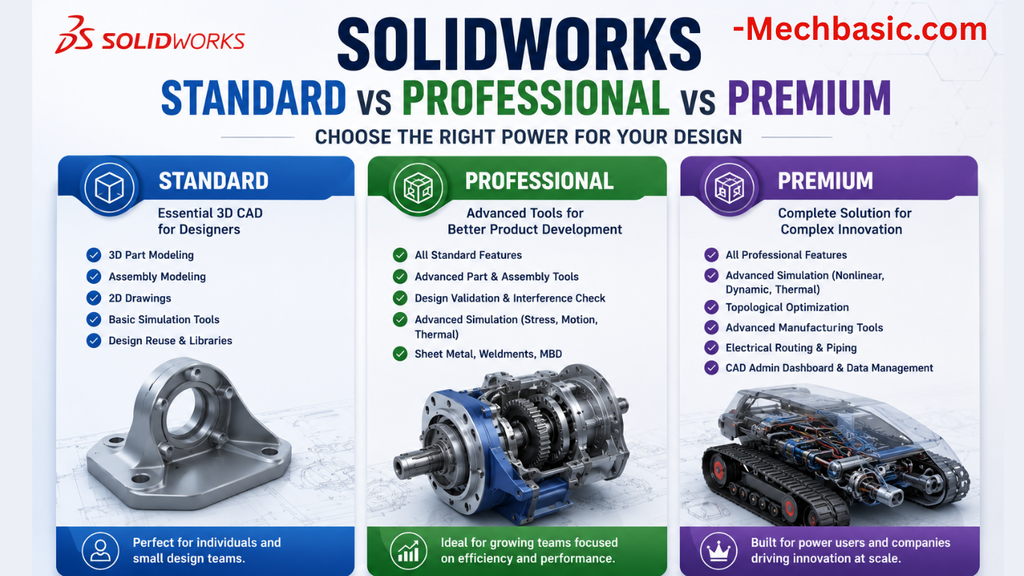
SolidWorks Standard vs Professional vs Premium: Full Feature Comparison
SolidWorks Standard vs Professional vs Premium: Full Feature Comparison Overview: SOLIDWORKS Package Overview SOLIDWORKS comes…
SolidWorks 2026 License Cost: Perpetual vs Subscription Pricing Breakdown
SolidWorks 2026 License Cost: Perpetual vs Subscription Pricing Breakdown Overview: SOLIDWORKS 2026 License Options SOLIDWORKS…

Flatness-GD&T | GD&T Tutorials

ANSI vs ISO Standards-Key Differences you need to know

Straightness-GD&T | GD&T Tutorials
Categories:




















