
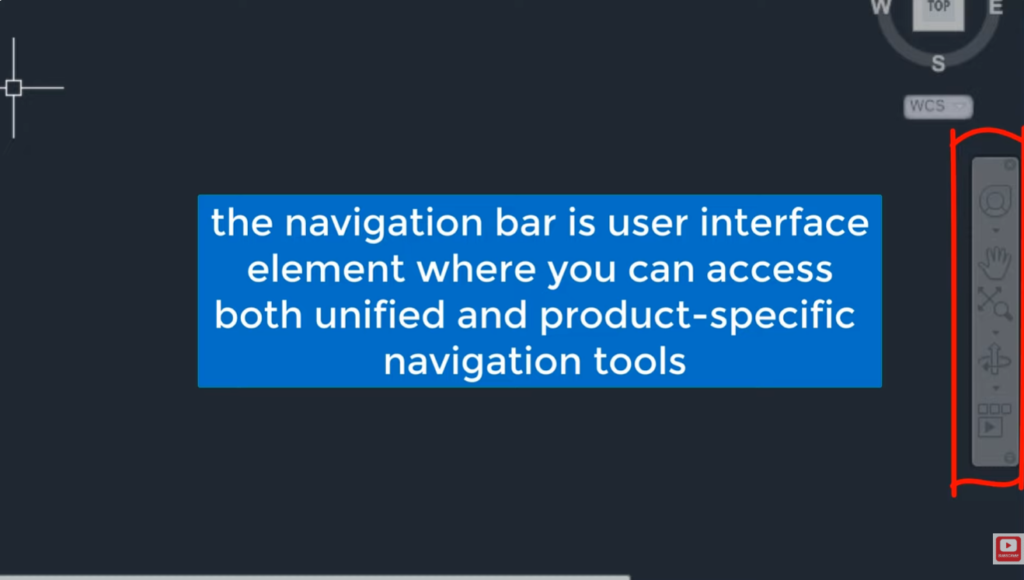
Autocad navigation bar in detail
The Navigation Bar in AutoCAD provides tools for viewing and navigating drawings.It includes commands such as Pan, Zoom, Orbit, and […]
The Navigation Bar in AutoCAD provides tools for viewing and navigating drawings.It includes commands such as Pan, Zoom, Orbit, and […]
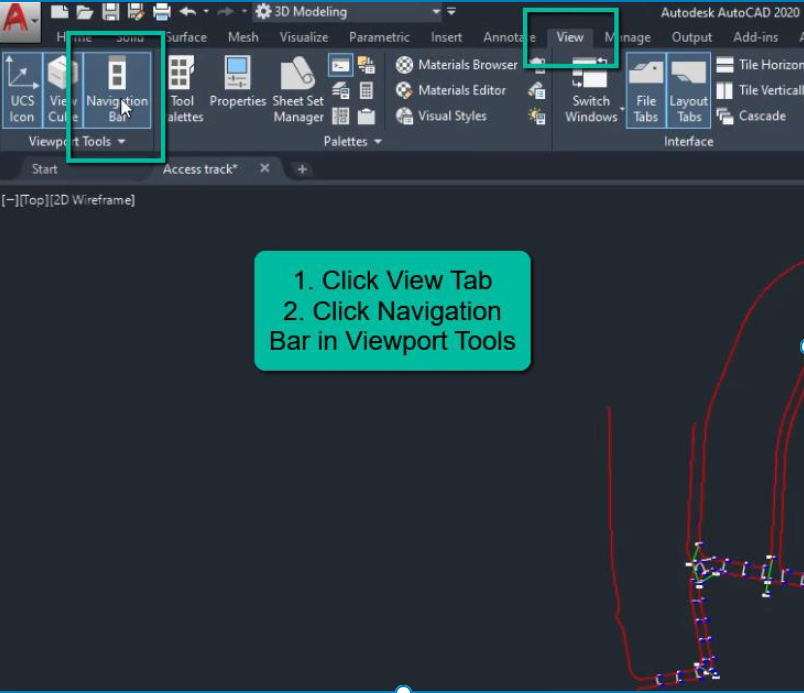
To display the Navigation Bar in AutoCAD, type NAVBAR in the command line and press Enter.Then enter 1 to turn
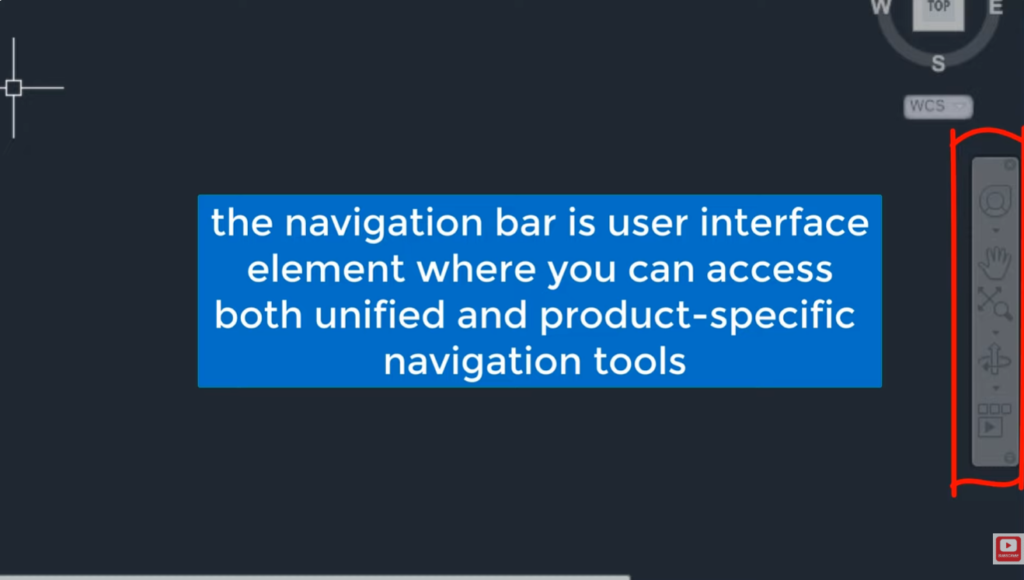
To turn the Navigation Bar on or off, type NAVBAR in the command line and press Enter.Enter 1 to display
Ctrl + Z in AutoCAD is used to undo the last action or command.It helps reverse mistakes and restore the
Ctrl + W in AutoCAD toggles Object Snap (OSNAP) on and off.Object Snap helps accurately select points such as endpoints,
CAD (Computer-Aided Design) is software used to create, modify, and analyze technical drawings and models.It allows users to produce accurate
CAD (Computer-Aided Design) is used in vehicles to design precise 2D and 3D models of parts and assemblies.Software like CATIA

The most widely used CAD software in the automobile industry includes CATIA, SolidWorks, and Siemens NX.These tools are preferred for
CAD (Computer-Aided Design) is used in automobiles to create detailed 2D and 3D models of vehicle parts and systems.Software like
Here’s a clear step-by-step guide on how to use rack and pinion mate in onshape(CAD Software). How to Use Rack




