
What is Ctrl+Q in AutoCAD?
Ctrl + Q in AutoCAD is used to quit or exit the AutoCAD application.It closes the program after prompting you […]

Ctrl + Q in AutoCAD is used to quit or exit the AutoCAD application.It closes the program after prompting you […]
Ctrl + 0 in AutoCAD activates or deactivates Clean Screen mode.This mode hides toolbars, ribbons, and palettes to maximize the
Layer 0 is the default layer automatically created in every AutoCAD drawing.It is commonly used when creating blocks because objects
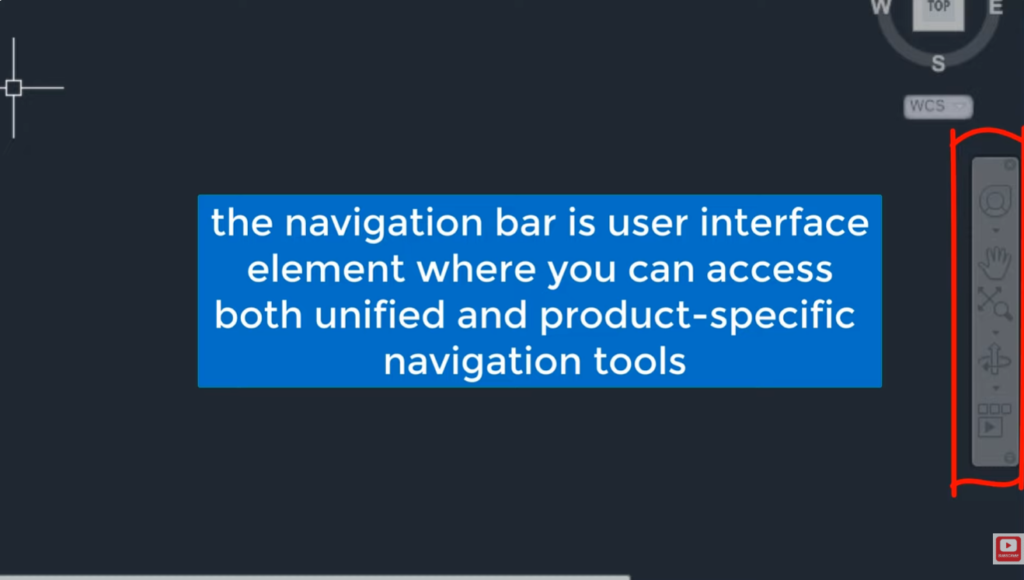
The Navigation Bar in AutoCAD provides tools for viewing and navigating drawings.It includes commands such as Pan, Zoom, Orbit, and
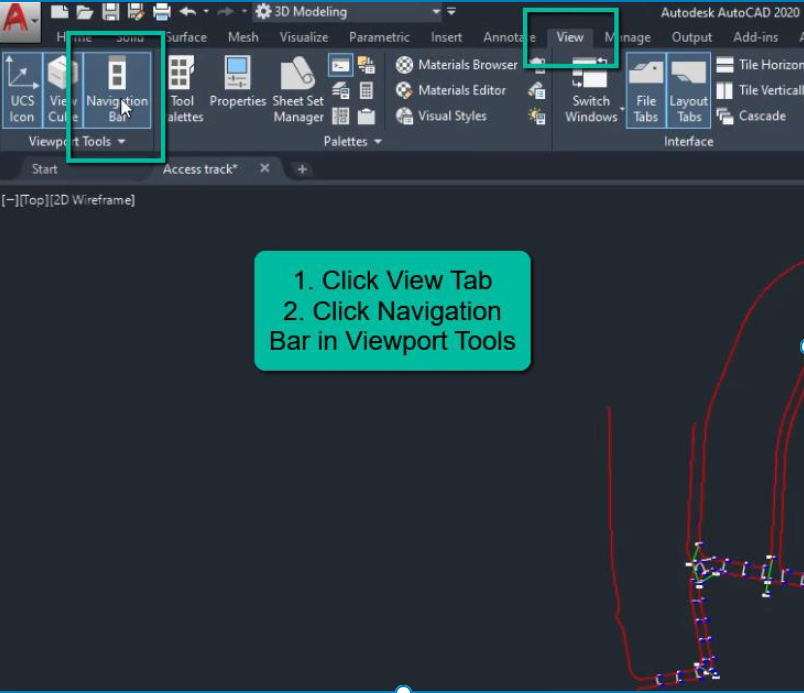
To display the Navigation Bar in AutoCAD, type NAVBAR in the command line and press Enter.Then enter 1 to turn
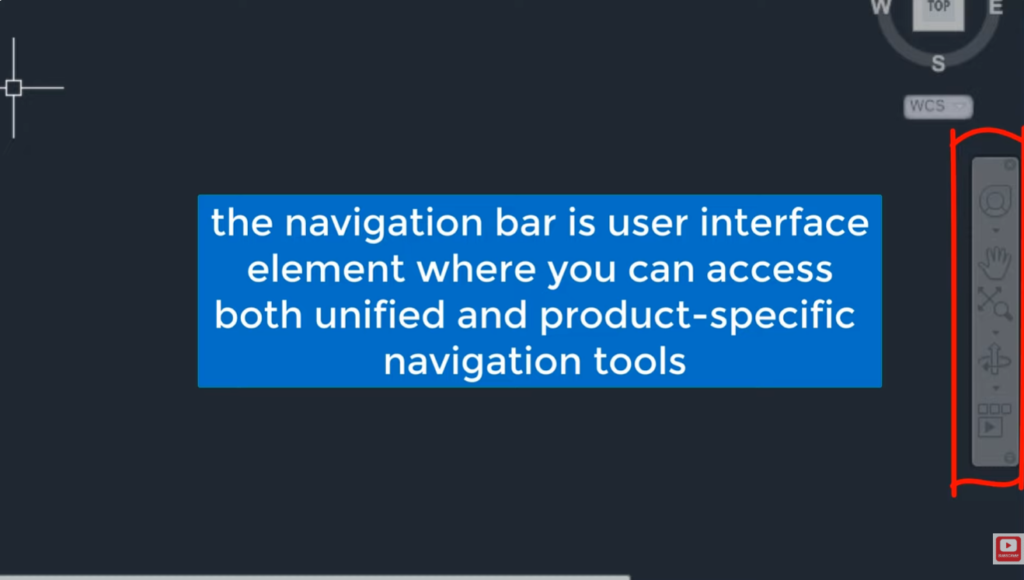
To turn the Navigation Bar on or off, type NAVBAR in the command line and press Enter.Enter 1 to display
Ctrl + Z in AutoCAD is used to undo the last action or command.It helps reverse mistakes and restore the
Ctrl + W in AutoCAD toggles Object Snap (OSNAP) on and off.Object Snap helps accurately select points such as endpoints,
Drafting tools are used to create accurate technical drawings and engineering designs.They help measure distances, draw lines, circles, arcs, and
A drafter is used to draw precise horizontal, vertical, and angled lines in technical drawings.It helps create accurate engineering, architectural,




