
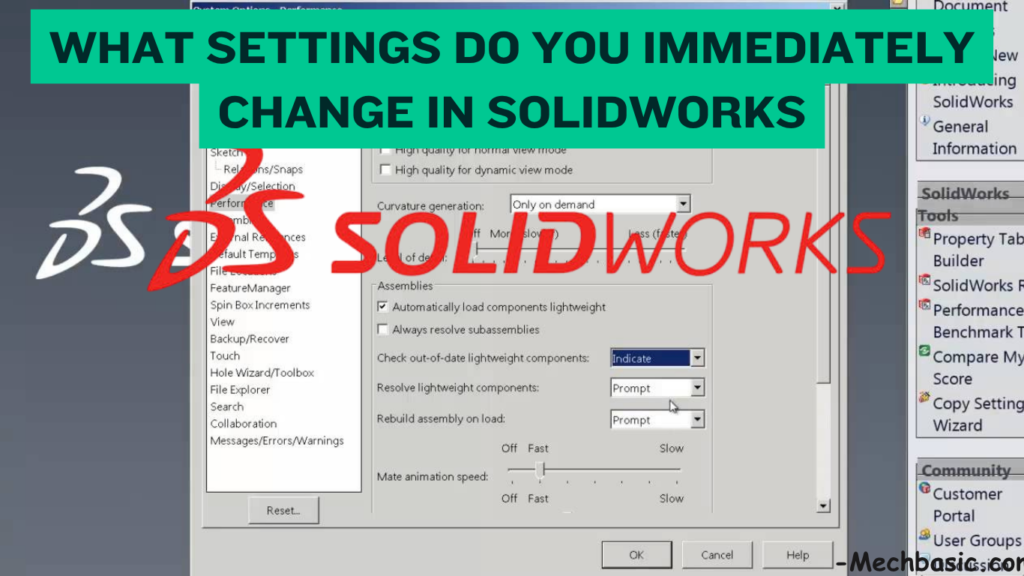
What settings do you immediately change in Solidworks?
Key Takeaways: SolidWorks Settings to Change Immediately 1. Document Units Set the correct unit system such as MMGS (mm, g, […]

Key Takeaways: SolidWorks Settings to Change Immediately 1. Document Units Set the correct unit system such as MMGS (mm, g, […]
The cost of a BIS licence or registration depends on what you are applying for. BIS offers different schemes for
Key Takeaways: 5 Important OSHA Standards 1. Fall Protection Protect workers from falls by using guardrails, safety nets, personal fall-arrest
Who is the owner of BIS? The Bureau of Indian Standards (BIS) does not have a private owner. It is

Yes, BIS hallmarking is mandatory for most gold jewellery and gold artefacts sold in India, with certain exceptions. Is BIS
Key Takeaways: 7 Elements of ISO 45001 1. Context of the Organization Understand the organization, its activities, workers, and factors
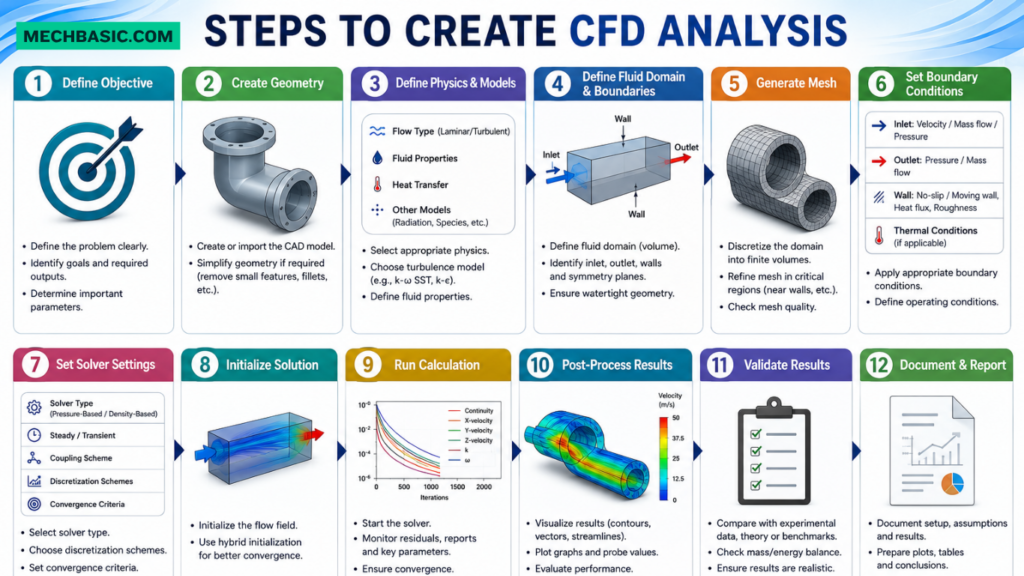
Key Takeaways: What is CFD Analysis? Computational Fluid Dynamics (CFD) is a computer-based simulation technique used to analyze the behavior
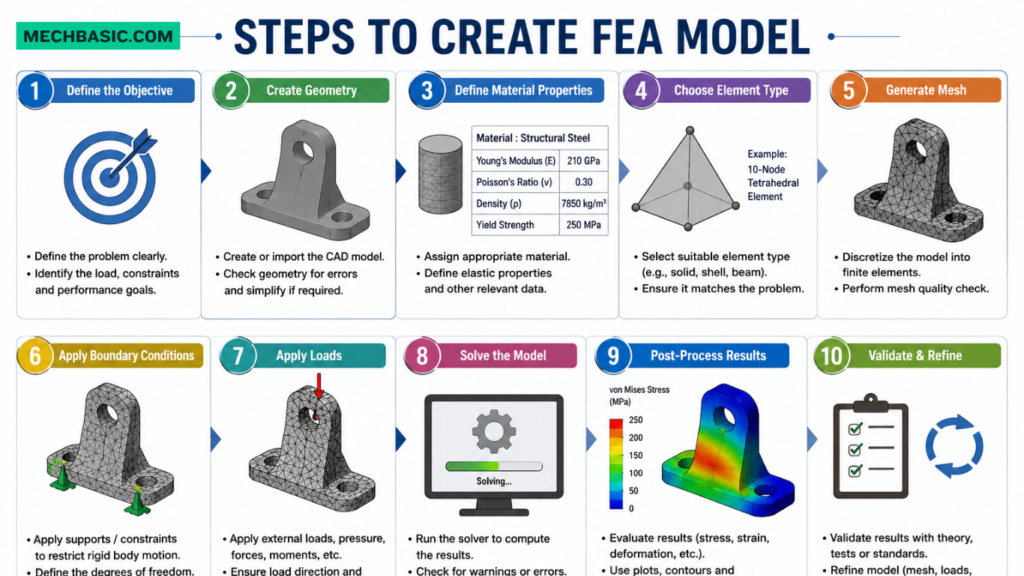
Key Takeaways: How to Create an FEA Model: Creating an FEA (Finite Element Analysis) model involves preparing a CAD model,
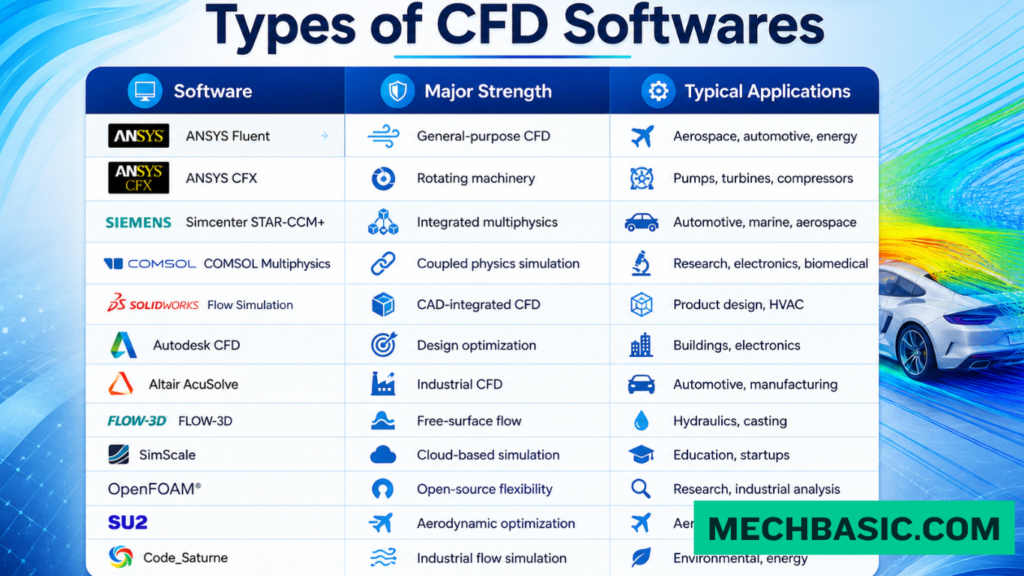
Key Takeaways: What is CFD Software? Computational Fluid Dynamics (CFD) software is used to simulate and analyze the behavior of
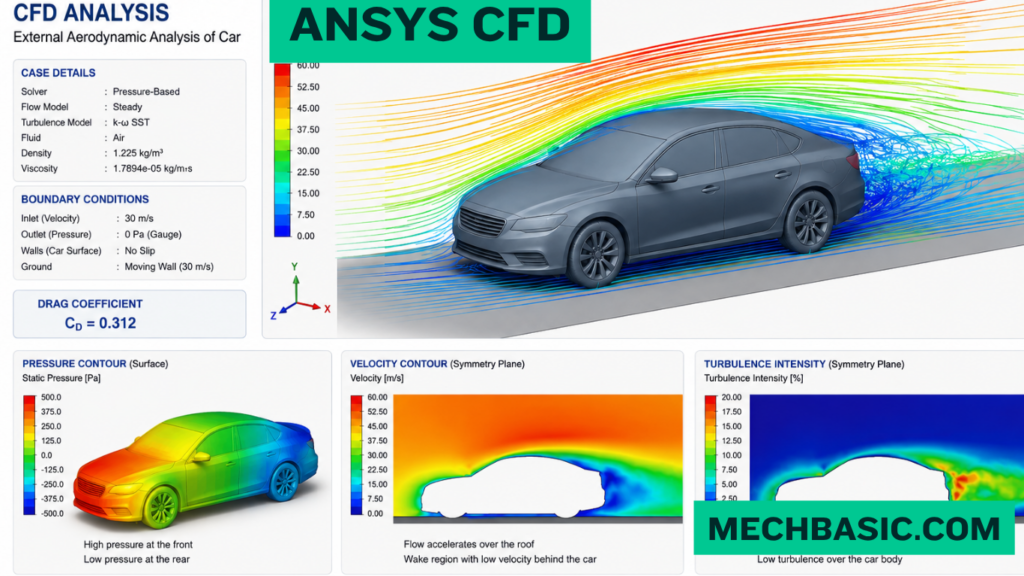
Key Takeaways: What is ANSYS CFD? ANSYS CFD is a simulation software used to analyze fluid flow, heat transfer, and




