
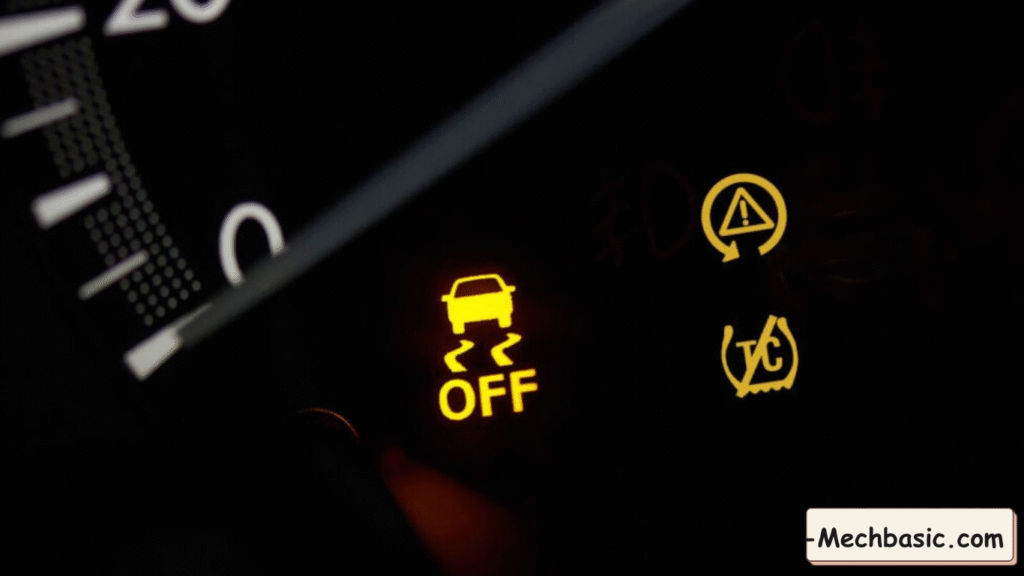
The Vehicle Stability Assist (VSA) warning light indicates that there is either:
- A temporary activation of the stability system (normal), or
- A fault that disables Honda’s stability control (abnormal)
Understanding which situation applies is critical.
Below is a clear, detailed, expert-level explanation of all VSA warning light behaviors, causes, diagnosis, and what to do.
In this article:
1. Types of VSA Warning Lights on Honda Vehicles
There are 3 different lights related to Honda’s VSA system:
A. VSA Light FLASHING (Normal)
Meaning:
- The VSA system is actively working.
- It’s correcting traction or stability.
This happens during:
- Hard acceleration with wheelspin
- Driving on slippery roads (rain, snow, mud)
- Sudden turns or evasive maneuvers
- Understeer or oversteer situations
No action required → It’s doing its job.
B. VSA Light ON (Solid) – Fault Detected
If the VSA light stays on continuously, this means:
🔴 VSA is disabled due to a malfunction.
The system will not help stabilize the vehicle until fixed.
This is the most important warning type.
C. VSA OFF Indicator
This light appears if:
- You pressed the VSA OFF button manually
- There is a malfunction preventing the system from staying on
Look for the button near the steering wheel or dashboard.
2. Common Causes of a VSA Warning Light (Solid On)
Fault in any one of the components below can disable VSA:
Wheel Speed Sensor Failure (MOST COMMON)
Symptoms:
- ABS light may also come on
- Speed reading mismatch
- Light turns on intermittently
Causes:
- Sensor damaged or loose
- Dirt or rust on tone ring
- Broken wiring at wheel hub
Low Brake Fluid Level
VSA requires proper brake pressure.
Symptoms:
- ABS light may also turn on
- Brake pedal feels soft
Bad Steering Angle Sensor
If the system cannot determine where the wheels are pointing → VSA shuts off.
Symptoms:
- VSA light + EPS light
- VSA intervention becomes unpredictable
Bad Yaw Rate / Lateral G Sensor
This sensor detects spinning/sliding motion.
Symptoms:
- VSA light stays on from startup
- Sometimes TRAC and ABS lights also appear
Weak Battery or Low Voltage
Honda VSA is extremely sensitive to voltage drops.
Symptoms:
- Light appears after jump-start or battery replacement
- Light disappears after driving
ABS Modulator or VSA Control Unit Failure
Controls brake pressure to each wheel.
Symptoms:
- ABS light and VSA light ON
- Multiple ABS/VSA codes
- Brake pressure issues
This is one of the more expensive repairs.
Incorrect or Mismatched Tires
Different tire sizes or worn tread confuse wheel speed logic.
Symptoms:
- VSA light on after tire replacement
- Light on after spare tire usage
- Light at high speed
Loose Gas Cap on Some Honda Models
Engine light + VSA light may appear together.
Reason:
- Honda disables VSA when certain engine faults are active.
Throttle Body or Sensor Problems
VSA needs accurate throttle control.
Symptoms:
- VSA + Check Engine (MIL)
- Rough idle or poor acceleration
3. How to Diagnose the VSA Warning Light
Step 1 — Check the Dashboard Lights
If VSA + ABS + (!) Brake are all on → wheel speed or brake pressure issue.
If VSA + Check Engine → engine fault is disabling VSA.
Step 2 — Check Simple Things
- Brake fluid level
- Tire pressure and size
- Battery voltage
- Loose wheel speed sensor connector
Step 3 — Scan the VSA/ABS System
Use a scanner that reads Honda ABS/VSA codes
(regular OBD-II readers often can’t).
Look for codes such as:
- 11-1 / 21-1 (wheel speed sensor)
- 84-1 (yaw rate sensor)
- 66-1 (steering angle sensor)
- 8-1 (VSA modulator failure)
Step 4 — Inspect Wheel Speed Sensor Signals
Check:
- Damage
- Dirt
- Loose wiring
Compare real-time wheel speeds.
Step 5 — Check Steering Angle Sensor Alignment
After steering or suspension repairs, you may need calibration.
Step 6 — Check Yaw/G Sensor
Values should be close to 0 at rest.
How to Fix VSA Warning Light
| Cause | Fix |
|---|---|
| Bad wheel speed sensor | Replace sensor; clean tone ring |
| Low brake fluid | Refill + check for leaks |
| Bad steering angle sensor | Replace + recalibrate |
| Bad yaw sensor | Replace + zero-point calibration |
| Weak battery | Replace battery |
| Modulator failure | Replace or repair unit |
| Mismatched tires | Install correct size tires |
| Engine fault | Fix CEL codes → VSA clears |
5. After Repairs — VSA Calibration Needed
Honda requires calibration after:
- Wheel alignment
- Steering work
- Suspension repairs
- Yaw sensor replacement
- Battery replacement on some models
Calibrations include:
- Steering Angle Sensor Calibration
- VSA Zero-Point Learning
Done using:
- Honda HDS scan tool
- Professional OBD scanner
6. Is It Safe to Drive With VSA Light On?
✔ Yes, if only the VSA light is on
You can still drive, but stability control will not help you during:
- Slippery roads
- Emergency maneuvers
❌ No, if VSA + ABS + Brake (!) lights are on
Your braking performance could be compromised.
📌 Summary: What the VSA Light Means
Flashing → Normal operation
Solid → System fault → VSA disabled
VSA OFF → Manually turned off
Most common causes:
- Wheel speed sensor
- Low brake fluid
- Steering angle sensor
- Yaw/G sensor
- Battery voltage issues
Fixing the underlying issue will clear the warning.
Other courses:





