
CNC (Computer Numerical Control) software is used to control and operate CNC machines by converting programmed instructions into precise mechanical movements.
This software manages machine functions such as tool movement, spindle speed, feed rate, axis control, and machining cycles. CNC software interprets G-code or conversational programs and ensures accurate, repeatable, and automated manufacturing of parts.
It is widely used in industries like automotive, aerospace, mold making, and metal fabrication to achieve high precision, efficiency, and consistency in production.
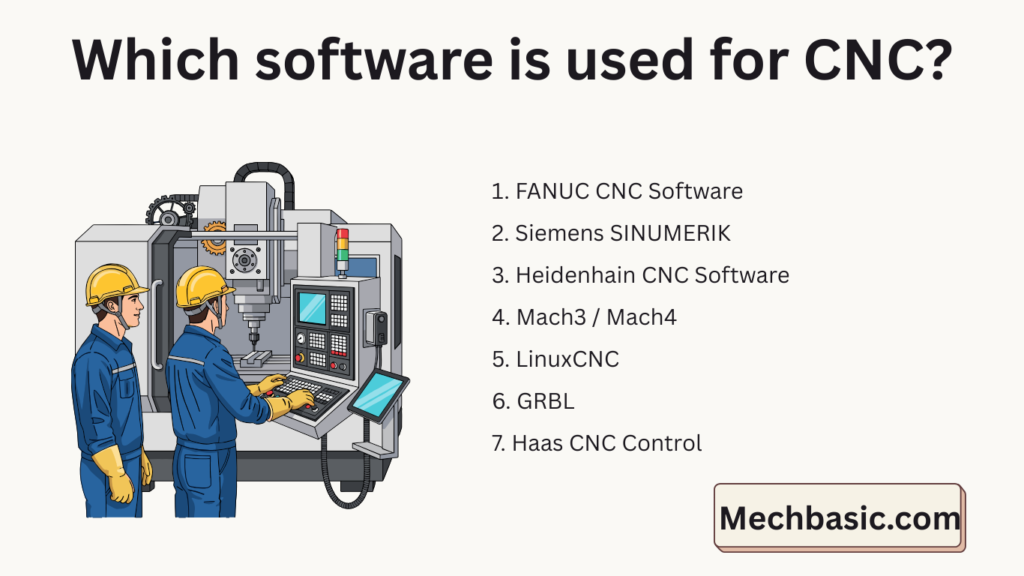
In this article:
CNC Design workflow:
Design part → CAD software
Generate toolpaths → CAM software
Verify machining → Simulation software
Send program → DNC software
Run machine → CNC controller
List of most popular CNC software:
Here are the list of most popular CNC software used:
1. FANUC CNC Software
Type: Industrial CNC controller
Used in: Milling, turning, drilling, grinding machines
Details:
- Most widely used CNC control system worldwide
- Uses G-code (ISO standard)
- Very reliable and fast
- Supports multi-axis machining (3, 4, 5-axis)
- Built into industrial CNC machines
Applications: Automotive, aerospace, mass production
Skill level: Professional / Industrial
2. Siemens SINUMERIK
Type: Industrial CNC controller
Used in: Advanced CNC machines
Details:
- High-precision and high-speed control
- Supports ShopMill & ShopTurn (conversational programming)
- Excellent for 5-axis machining
- Strong simulation and diagnostics
Applications: Aerospace, medical, complex parts
Skill level: Professional
3. Heidenhain CNC Software
Type: CNC controller
Used in: High-accuracy machining centers
Details:
- Uses conversational programming instead of pure G-code
- Extremely accurate positioning
- Easy to program at the machine
- Excellent surface finish
Applications: Mold & die, precision engineering
Skill level: Intermediate to advanced
4. Mach3 / Mach4
Type: PC-based CNC control software
Used in: Hobby and small-scale CNC machines
Details:
- Runs on Windows PC
- Reads standard G-code
- Controls stepper and servo motors
- Supports milling, turning, plasma, laser
Applications: Workshops, DIY CNC, small businesses
Skill level: Beginner to intermediate
5. LinuxCNC
Type: Open-source CNC control software
Used in: Custom and industrial retrofitted machines
Details:
- Runs on Linux OS
- Real-time machine control
- Highly customizable
- Supports complex kinematics and robotics
- Free and open source
Applications: Research, advanced users, retrofits
Skill level: Advanced
6. GRBL
Type: Embedded CNC control firmware
Used in: Small desktop CNC machines
Details:
- Runs on Arduino microcontrollers
- Supports 3-axis motion
- Lightweight and fast
- Communicates via USB
- Limited features compared to industrial controllers
Applications: DIY CNC, engraving, PCB milling
Skill level: Beginner
7. Haas CNC Control
Type: Proprietary CNC controller
Used in: Haas CNC machines only
Details:
- User-friendly interface
- G-code compatible
- Built-in macros and probing
- Excellent for training and production
Applications: Education, job shops
Skill level: Beginner to professional
8. Mitsubishi CNC (MELDAS)
Type: Industrial CNC controller
Details:
- High reliability and speed
- Supports multi-axis and automation
- Common in Asian manufacturing industries
Applications: High-volume manufacturing
Skill level: Professional
9. Okuma OSP
Type: CNC control system
Details:
- Integrated machine + control system
- Thermal compensation for accuracy
- Advanced automation support
Applications: Heavy machining, aerospace
Skill level: Professional
Summary Table
| CNC Software | Type | Best For |
|---|---|---|
| Fanuc | Industrial controller | Mass production |
| Siemens | Industrial controller | High-precision |
| Heidenhain | Conversational control | Mold & die |
| Mach3/Mach4 | PC-based | Hobby & small shops |
| LinuxCNC | Open-source | Custom machines |
| GRBL | Embedded firmware | Desktop CNC |
| Haas | Proprietary | Training & job shops |
| Mitsubishi | Industrial | Automation |
| Okuma OSP | Industrial | Heavy machining |
Best Software Based on User Type
| User Type | Recommended Software |
|---|---|
| Beginner / Student | Fusion 360, Mach3 |
| Hobby CNC | Fusion 360, GRBL, LinuxCNC |
| Professional Shop | SolidWorks + Mastercam |
| Industrial Manufacturing | CATIA + PowerMill + Fanuc |
| Metal / Mold Making | PowerMill, Vericut |
Conclusion:
CAD: AutoCAD, SolidWorks, Fusion 360, CATIA, Creo
CAM: Fusion 360 CAM, Mastercam, PowerMill, SolidCAM, Edgecam
Controller: Fanuc, Siemens SINUMERIK, Heidenhain, Mach3/Mach4, LinuxCNC, GRBL
Simulation: Vericut, NC Simul
DNC: CIMCO DNC, Predator DNC
Other courses:





