
Setting adaptive cruise control in a car typically involves turning on the cruise control system, accelerating to your desired speed, and then pressing the “SET” button.
The system then maintains that speed and automatically adjusts to keep a safe distance from the vehicle ahead, based on the gap setting you choose.
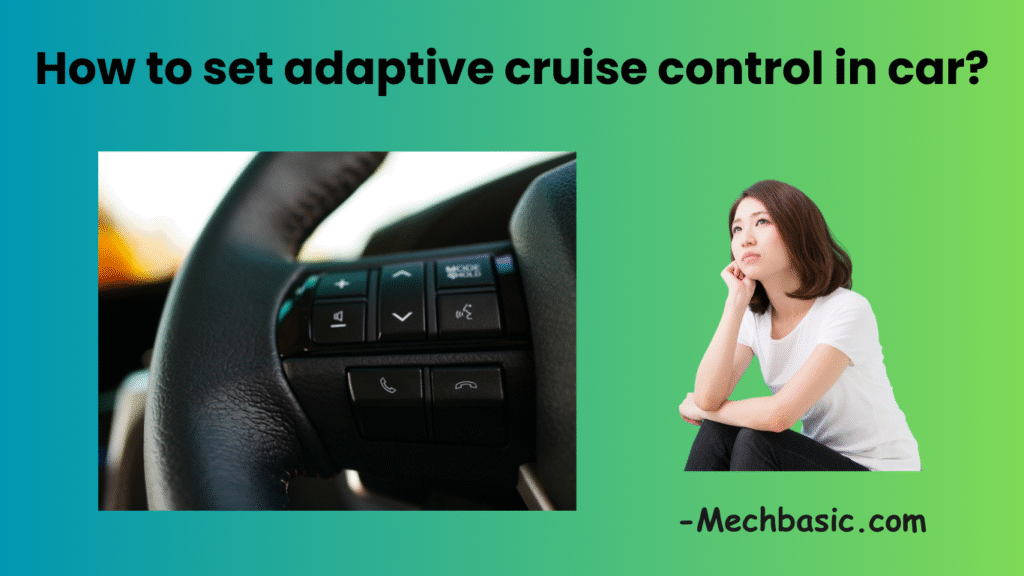
5 Tips Before You turn it On:
- You’re on a safe, open road (not crowded city traffic, not in parking lots).
- Speed is within the car’s ACC operating range (check your owner’s manual — typical: ~20–130 km/h or ~15–85 mph).
- Sensors (front radar/camera) are clean and unobstructed.
- Weather/visibility is adequate (heavy rain, snow, fog or road spray can limit ACC performance).
- You keep hands on the wheel and stay ready to take over at any time.
Typical ACC controls
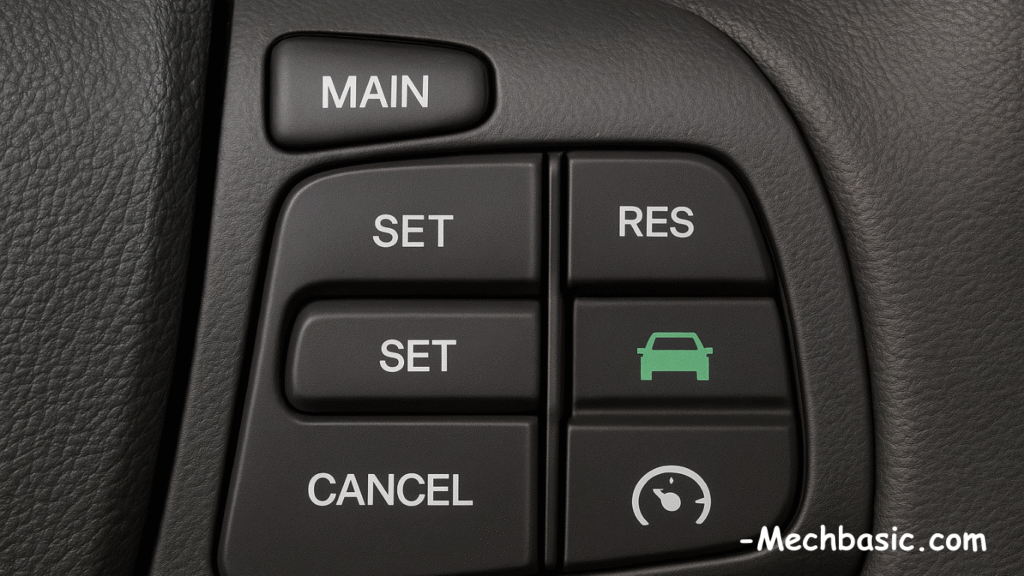
ACC controls and buttons along with their uses are shown below:
- Main/Power: turns ACC system on/off (often labeled CRUISE or with a speedometer icon).
- SET / – / +: set the current speed and adjust set speed.
- RES (Resume): resume previously set speed.
- CANCEL: temporarily suspends ACC without clearing memory.
- FOLLOWING-DISTANCE button: cycles through gap settings (near/medium/far; sometimes shown as bars or a car-with-arrows icon).
- Driver-assist indicators: instrument cluster will show ACC active, set speed, and gap icon; some cars show a green/amber/red status.
If your car has steering-assist/lane-centering, that’s separate from ACC but often works together (called “Adaptive Cruise with Lane Centering,” “Highway Assist,” etc.).
Step-by-step: how to set ACC (generic flow)
- Turn the system on
- Press the main CRUISE/ACC button. Look for an ACC icon or message on the dash. System on ≠ active; it’s ready.
- Accelerate to the desired speed manually
- Use the accelerator to reach the speed you want the ACC to hold (e.g., 100 km/h or 62 mph).
- Set the speed
- Press SET (or SET-/–). The vehicle will store the current speed and start controlling throttle to maintain it. The dash should display the set speed.
- Choose following distance
- Press the distance/gap button to cycle through settings (close/medium/far). The cluster will show bars or a car icon. Pick a gap suited to traffic and conditions (far = safer in heavy traffic or poor weather).
- Let ACC control speed
- ACC will maintain set speed and use sensors to slow down or follow a slower vehicle in your lane automatically. If the lead vehicle slows, your car will brake or reduce throttle to match.
- Adjust speed on the fly
- Use + / – buttons to raise or lower the set speed (often in 1 km/h or 1 mph increments; some let you hold for larger changes).
- Manual override (instant control)
- Press the brake pedal or the clutch (manual transmission) and ACC will disengage control immediately. Pressing the accelerator typically overrides ACC temporarily but the system may resume controlling throttle when you lift off (manufacturer dependent).
- Resume a set speed
- After braking or a temporary cancel, press RES (Resume) to return to the previously set speed (if conditions allow). Or press SET again when at desired speed.
- Cancel / turn off
- Press CANCEL to suspend ACC without erasing the stored speed, or press the main CRUISE/ACC button again to switch the system fully off.
Using ACC in traffic & on highways
- Choose a larger gap in dense traffic, rain, fog, icy roads, or if the vehicle in front is large/erratic.
- ACC is not a substitute for driver attention — always monitor surroundings and be ready to steer or brake.
- Don’t rely on ACC when approaching sharp curves, construction zones, or when lanes change frequently.
- If your car has stop-and-go ACC, it can bring the car to a full stop and restart automatically; otherwise you’ll need to manually re-engage (check manual).
Common variants / manufacturer differences
- Stop-and-Go ACC: can stop fully and resume in slow traffic.
- ACC w/ Lane Centering: also helps steer to keep you centered; requires hands on wheel.
- Radar-only vs Radar+Camera: camera helps detect lane markings and vehicles more precisely; radar is better in low visibility.
- Always review your owner’s manual for model-specific limits and instructions.
Troubleshooting & warnings
- System won’t engage: check for error messages, blocked sensors, dirty windscreen, or low battery.
- Intermittent or poor performance: extreme weather, reflective surfaces (bright sun, wet roads), or heavy spray can reduce reliability.
- Warning lights/alarms: if the car shows a fault or the ACC symbol turns red, disengage and drive manually; get the system inspected.
- False braking or late reaction: reduce reliance on ACC, increase following distance, and get the system checked.
ACC Controls :
- Turn on: press CRUISE/ACC button.
- Set speed: accelerate to desired speed → press SET.
- Lower/raise speed: press – / +.
- Change gap: press distance button.
- Cancel: press CANCEL or tap brake.
- Resume: press RES.
- Turn off: press CRUISE/ACC button again.
Other courses:





